

Rook
Mac note app optimized for code, offering syntax-highlighted blocks, auto language detection, Markdown support, full-text search, fast local storage, hierarchical organization, four code-tuned themes, smart paste features, and optional AI integration support.
Features
Properties
- Distraction-free
- Support for Themes
- Lightweight
- Minimalistic
Features
- Ad-free
- Live Preview
- Full-Text Search
- No Tracking
- No registration required
- Dark Mode
- Works Offline
- Language Detection
- Syntax Highlighting
- Model Context Protocol (MCP) Support
- Code Snippets
- Code Snippet Manager
- Auto-saving
- Tagging
- Integrated Search
Rook News & Activities
Recent activities
- POX added Snippets Manager as a feature to Rook
- POX added Rook
Rook information
What is Rook?
Note-taking app for code
Rook is a fast, minimal notes app for the code you write, paste, and keep around. Syntax-highlighted code blocks, auto language detection, full-text search, and themes tuned for code-block density.
Made for developers, students, tinkerers, and anyone who copy-pastes code.
Getting started is one click. No signup or cloud setup needed. Everything is stored locally on your Mac.
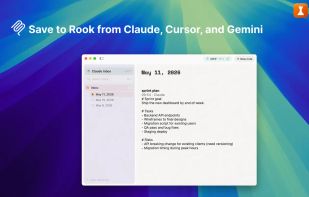
Rook 1.3.0 introduces optional support for the Model Context Protocol (MCP), the open standard for connecting AI assistants to tools. With it enabled, Claude Code, Claude Desktop, Cursor, and Gemini CLI can save notes into Rook through a local, write-only connection. Each AI gets its own inbox. The feature is in beta and disabled by default.
REAL CODE BLOCKS
- Syntax highlighting via TreeSitter for the major languages
- Auto language detection on paste from terminals or editors
- Smart paste from URL, image, RTF, terminal, and markdown sources
- Single-press undo and redo for every action. Notes auto-save as you write.
MARKDOWN WHERE IT BELONGS
- Headings, bold, italic, lists, links, blockquotes, inline code
- Slash menu and selection toolbar for quick formatting
- Zoom by view-level magnification
ORGANIZE THE WAY YOU THINK
- Three levels: collections, notebooks, and notes
- Full-text search across notes, notebook names, and collection names
- Quick preview by pressing Space
- Deleted notes can be restored from Trash
FIVE THEMES, TUNED FOR CODE
- Light, dark, and editor-aware variants
- Color palettes calibrated to read well at code-block density
- One-click switching from Settings > Appearance
IMPORT FROM SNIPPETSLAB
- One-click import preserves folders, tags, and code formatting