


Screeny
1 like
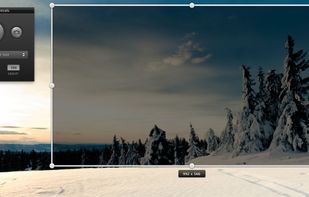
Screeny gives you the freedom to capture your videos or images at any size. You can click & drag to resize the capture area or input the exact pixel dimensions to set to the size of the capture area.

Cost / License
- Paid
- Proprietary
Application typeApplication types
Platforms
- Mac


Features
Screeny News & Activities
Highlights All activities
Recent activities
No activities found.
Screeny information
Developed by
 Drew Wilson
 Licensing
Proprietary and Commercial product.Alternatives
80 alternatives listedBadge
Get an embeddable badge for ScreenySupported Languages


Comments and Reviews
Screeny costs $15. Quicktime X, which has a screen-recording feature in Mac OS X Lion, is free. Screeny is a little bit better than Quicktime X at recording. You can choose how many FPS to record at, so the video that I recorded with Screeny seemed a bit smoother than the video I recorded with Quicktime X, which played my recording too fast (everything on the screen was moving slightly faster than it actually did during the recording). But that's Quicktime's only flaw; everything else about it is fairly comparable to Screeny's features. The only thing that sets Screeny apart is automatic uploading to CloudApp. And I sure as hell wouldn't recommend paying $15 just for that.