SnapInker AlternativesScreenshot Capture Tools and other similar apps like SnapInker

SnapInker is described as 'If you are using Windows, SnapInker is an easy way for beautifying your screenshots with effects such as Background Images, Shadow effects, and more' and is a screenshot capture tool in the photos & graphics category. There are more than 10 alternatives to SnapInker for a variety of platforms, including Windows, Mac, Web-based, Google Chrome and PortableApps.com apps. The best SnapInker alternative is ShareX, which is both free and Open Source. Other great apps like SnapInker are Greenshot, PicPick, Snipping Tool and FastStone Capture.

Copy a direct link to this comment to your clipboard
Alternatives
Get a badge for your siteSnapInker alternatives page was last updated

Alternatives list

  1. ShareX icon
     841 likes

    Open-source screen capture and file sharing tool with recording, editing, and annotation features. Supports 4K, dark mode, theming, offline use, and offers a lightweight, ad-free experience without tracking user data.

    310 ShareX alternatives

    Cost / License

    Application type

    Platforms

    • Windows
    • PortableApps.com
    • Steam
    • US flagUnited States
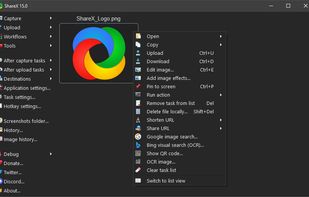
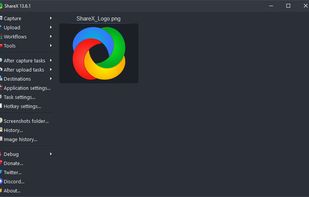
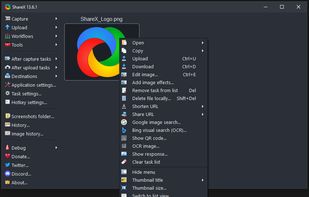
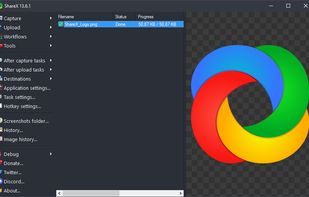
    Main window
    Good alternative?
     
  2. Greenshot icon
     728 likes

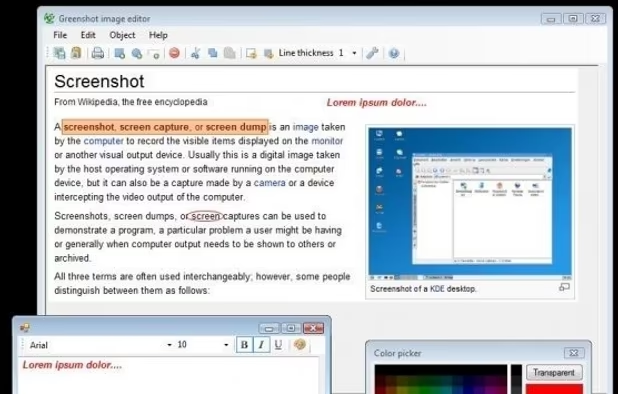
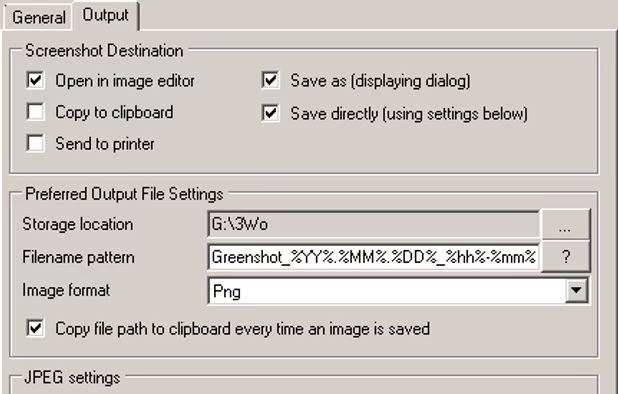
    Lightweight screenshot tool offering OCR, exports to Office apps and online storage, integration with external commands, supporting 32 languages and minimal space requirement.

    258 Greenshot alternatives

    Cost / License

    Application type

    Platforms

    • Mac
    • Windows
    Good alternative?
     
  3. PicPick icon
     200 likes

    Provides versatile screen capture options, built-in image annotation, color picking and palette, precision measurement tools like ruler and protractor, hotkey customization, clipboard and multi-format support, simple tray access, sharing, and portable operation.

    240 PicPick alternatives

    Cost / License

    • Free Personal
    • Proprietary

    Application type

    Platforms

    • Windows
    • PortableApps.com
    • Software as a Service (SaaS)
    Good alternative?
     
  4. Snipping Tool icon
     232 likes

    Snipping Tool is a screen capture utility that allows users to take screenshots of specific objects or full screens, annotate them, and save or share the captured images or videos.

    197 Snipping Tool alternatives

    Cost / License

    • Free
    • Proprietary

    Application type

    Platforms

    • Windows
    Good alternative?
     
  5. A powerful, lightweight, yet full-featured screen capture tool that allows you to easily capture and annotate anything on the screen including windows, objects, menus, full screen, rectangular/freehand regions and even scrolling windows/web pages.

    220 FastStone Capture alternatives

    Cost / License

    • Paid
    • Proprietary

    Application type

    Platforms

    • Windows
    Good alternative?
     
  6. Camtasia icon
     238 likes

    This all-in-one solution offers screen and webcam recording, video editing, and chroma key features, producing stunning HD-quality content easily shareable on platforms like YouTube and Screencast.com. Designed for training, presentations, and more, it supports H.264 format and compact file sizes.

    319 Camtasia alternatives

    Cost / License

    • Freemium
    • Proprietary

    Application type

    Platforms

    • Mac
    • Windows
    • Online
    Good alternative?
     
  7. Lightshot icon
     212 likes

    Captures selectable screen regions for Windows and Mac, offers instant uploading, quick editing, and sharing through short URLs, supports saving locally, annotating, clipboard copying, browser add-ons, upload history access, and operates without heavy system use.

    224 Lightshot alternatives

    Cost / License

    • Free
    • Proprietary

    Application type

    Alerts

    • Warning
    • Bundleware
    • Discontinued

    Platforms

    • Mac
    • Windows
    • Google Chrome
    • Wine
    • Mozilla Firefox
    Good alternative?
     
  8. Snagit icon
     202 likes

    Advanced screen capture and recording tool enabling image or video captures directly from your screen. Includes editing features like callouts, transparency, and effects to enhance visuals. Organize and easily share creations through documents, presentations, or favorite applications.

    257 Snagit alternatives

    Cost / License

    • Paid
    • Proprietary

    Application type

    Platforms

    • Mac
    • Windows
    • US flagUnited States
    Snagit screenshot 1
    Good alternative?
     
  9. Spectacle icon
     42 likes

    Spectacle is a simple application for capturing desktop screenshots. It can capture images of the entire desktop, a single monitor, the currently active window, the window currently under the mouse, or a rectangular region of the screen.

    226 Spectacle alternatives

    Cost / License

    Application type

    Platforms

    • Linux
    • KDE Plasma
    • Snapcraft
    Good alternative?
     
  10. Save anything you see online - including text, links and images - into your Evernote account with a single click.

    231 Evernote Web Clipper alternatives

    Cost / License

    • Free
    • Proprietary

    Application type

    Platforms

    • Online
    • Microsoft Edge
    • Internet Explorer
    • Google Chrome
    • Safari
    • Opera
    • Firefox
    Good alternative?
     
  11. Freeshot icon
     2 likes

    Freeshot is a free, lightweight and modern screenshot tool for Windows. Capture any region, window or full screen in under 100 ms, edit instantly with shapes, text & highlighter, organize everything in a clean library and print intelligently – 100 % free, no ads, no registration.

    Cost / License

    • Free
    • Proprietary

    Application type

    Platforms

    • Windows
    Good alternative?
     
  12. MiniSnip icon
     2 likes

    Meet MiniSnip, the smallest and fastest way to capture your screen and extract text with OCR on Windows. Open-source, feather-light, uses minimal resources, and stays completely out of your way.

    Just one hotkey (Ctrl+Shift+C) is all you need to start.

    Cost / License

    Application type

    Platforms

    • Windows
    Good alternative?
     
12 of 18 SnapInker alternatives