

WannaCut icon
WannaCut icon

WannaCut

Lightweight, open-source video editor combines Rust and React architecture for professional multi-track timeline workflows, requestAnimationFrame playback, robust undo/redo, magnetic snapping, easy fade controls, keyframable effects, and asset management on Linux and Windows.
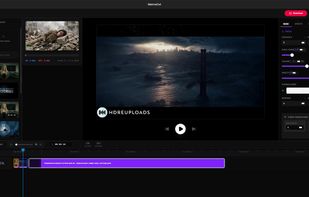
WannaCut screenshot 1

Cost / License

Application type

Platforms

  • Windows
  • Linux
9likes
1comment
0articles

Features

Properties

  1.  Privacy focused

Features

  1.  No registration required
  2.  Ad-free
  3.  No Tracking
  4.  Dark Mode
  5.  Works Offline
  6.  Timeline-based
  7.  MultiTrack
  8.  Undo and redo
  9.  Split Video
  10.  Snapping

WannaCut News & Activities

Highlights All activities

Recent activities

  • dirckmulder20 reviewed WannaCut  

    Cool that is is built in rust

  • dirckmulder20, brokesimp69, marek-wija and Jqri liked WannaCut
  • Creative_joe, truefirms, niksavc and namdx1987 liked WannaCut
  • Elessarrrgh liked WannaCut

WannaCut information

AlternativeTo Category

Video & Movies

GitHub repository

  •  118 Stars
  •  20 Forks
  •  3 Open Issues
  •   Updated  
View on GitHub

Popular alternatives

View all

Our users have written 1 comments and reviews about WannaCut, and it has gotten 9 likes

WannaCut was added to AlternativeTo by spacemansparrow on and this page was last updated .

Comments and Reviews

   
Dirck Mulder
0

Cool that is is built in rust

What is WannaCut?

WannaCut is a lightweight, high-performance video editor. Combining the safety of Rust (Tauri) with the flexibility of React, it offers a professional timeline experience without the weight of traditional editors.

Current features:

  • Smart Project Manager: Workspace-based file system to organize all your productions.
  • Multi-Track Timeline: Resizable and vertical-scrolling timeline with dynamic track management.
  • Pro Playback System: requestAnimationFrame driven playhead with sub-second timecode precision.
  • Infinite History (100+ Steps): Robust Undo/Redo system protecting your creative process.
  • Intelligent Manipulation:
  • Precision Split (S) tool.
  • Multi-select clips and assets for bulk actions.
  • Magnetic Snapping: Magnetic timeline for perfect alignment.
  • Easy Fadein and Out: Easy Fade In and Out (for video and audio) moving the conners of the clips.
  • Scale Controls: Dynamic zoom (Ctrl/Alt + Scroll) and resizable UI panels.
  • Asset Purge: Automatic cleaning of unused tracks to keep the workspace optimized.
  • Separate Audio: Separate or Recover Audio with one click
  • Keyframable Volume, Opacity and Speed: Change Volume, Speed and Opacity using Keyframes, Keyframes that is not the speed has auto sync with the time distortion caused by change of speed
  • Sub clips: Create subclips before import to project

Official Links
