




Windows File History
7 likes
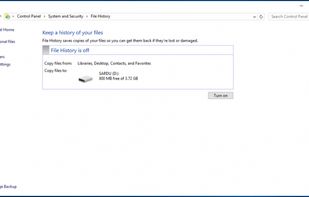
File History protects files from within the libraries, desktop, favorites, and contacts folders and creates copies of the files. in any event of a system refresh, reset or crash the files that were backed up via File History can easily be restored.

Cost / License
- Free
- Proprietary
Platforms
- Windows


Features
Windows File History News & Activities
Highlights All activities
Recent News
No news, maybe you know any news worth sharing?
Share a News TipRecent activities
- drkmstr42 liked Windows File History
Featured in Lists

A list with 18 apps by asphaltkisser without a description.
List by asphaltkisser with 18 apps, updated

A list with 12 apps by asphaltkisser without a description.
List by asphaltkisser with 12 apps, updated
What is Windows File History?
Windows File History information
Developed by
 Microsoft
 Licensing
Proprietary and Free product.Rating
Average rating of 1.7Alternatives
59 alternatives listedBadge
Get an embeddable badge for Windows File HistorySupported Languages


Comments and Reviews
Fairly simple to use. However, any file or folder with a pathname length greater than 184 characters will fail to be backed up and you will not be warned about it. Consider yourself lucky that I just did.
If you make partitions on your drive with software other than Microsoft like I used to do, you probably should make at least one system image with vs the file history ..lest you are greeted with a denial at time of system repair. The image will be a sort of cloaked compressed drive clone spacehog brick that will neither show its included files nor update, but it should work for you if the system crashes. Mine took like 3 hours and compressed to about 31% the size of all the data on the drive. After you make the image, copy it somewhere. If you are using a new drive, I recommend using slow format. That first image became quickly corrupted somehow. From there I recommend an incremental backup system and a restore disk/usb. .
I was finishing a long review but my browser crashed so in short : WFH is not reliable and can not be considered as your main backup solution.
It has mean tendencies to: