


BiniSoft Windows Firewall Control
A powerful tool which extends the functionality of Windows Firewall and provides new extra features which makes Windows Firewall better.

Cost / License
- Free
- Proprietary
Application typeApplication types
Platforms
- Windows


Features
BiniSoft Windows Firewall Control News & Activities
Recent News
Recent activities
To switch between filter profiles, you now have to enable “elevation” every time, which essentially grants the app administrative privileges. Personally, this new feature annoys me (2-3 extra click's), but overall it's a great app.
- rrondo added Ad-free as a feature to BiniSoft Windows Firewall Control
- rrondo liked BiniSoft Windows Firewall Control
 justarandom added BiniSoft Windows Firewall Control as alternative to Traffic Light
I used TinyWall, FAB, Comodo Firewall, Simplewall, Fort firewall in the past. Malwarebytes Windows Firewall Control has all the needed features of others plus easy controls and self-evident logic. It shows notifications unlike FAB and some others, so I can easily find out what program is connecting to the Internet. Sometimes it was hard to find that out, even impossible.
- kamoltuk2001 liked BiniSoft Windows Firewall Control
 TheEmperorArt added BiniSoft Windows Firewall Control as alternative to EasyFirewall
- mireiland liked BiniSoft Windows Firewall Control


Featured in Lists

A curated list of Windows software that I've discovered (and been using) over the years, organized in categories....
What is BiniSoft Windows Firewall Control?
BiniSoft Windows Firewall Control information
Developed by
 Malwarebytes Inc.
 Licensing
Proprietary and Free product.Rating
Average rating of 4.3Alternatives
23 alternatives listedBadge
Get an embeddable badge for BiniSoft Windows Firewall ControlSupported Languages



Comments and Reviews
The main problem with windows firewall is that is an absolute pain to configure. This makes it super easy. It even has a bullseye like mode where you can just click on the program you want to allow. A+ program right here.
To switch between filter profiles, you now have to enable “elevation” every time, which essentially grants the app administrative privileges. Personally, this new feature annoys me (2-3 extra click's), but overall it's a great app.
I used TinyWall, FAB, Comodo Firewall, Simplewall, Fort firewall in the past. Malwarebytes Windows Firewall Control has all the needed features of others plus easy controls and self-evident logic. It shows notifications unlike FAB and some others, so I can easily find out what program is connecting to the Internet. Sometimes it was hard to find that out, even impossible.
Very lightweight firewall with no impact on PC performance, simple notifications and easy view of all apps allowed to access the Internet
While the general interface is an obvious upgrade to the awful MMC hellscape provided by Microsoft for Windows Firewall administration, it's still somewhat lacking. The problem is that WFC doesn't give you access to all the important aspects of individual firewall rules.
For example, it doesn't let you see or edit edge traversal settings in the rules editor dialog. In that case, it gives you a warning before you open the dialog, and that's it. It also doesn't let you edit ICMP types in the rules editor dialog. And so on.
The only place to view these things is in columns which are not displayed by default. And while you can view these important aspects of firewall rule configuration there, you can't edit them at all using WFC.
Also, the version of WFC I'm running REVERSES the source and destination address/port for incoming connections. This pushed my sanity to its limits until I realized what was going on.
The connections log is the biggest improvement offered by WFC, as trying to review blocked connections using the MMC interface inherent to Windows is pure torment.
You've probably heard of malwareBytes for their malware scans. I like their Firewalling program BiniSoft/Malwarebytes even more! I've tried many firewalls, and for simplicity and compatibility, I keep coming back to this software. It plays nice with my Glasswire, and gives good clear displays of your recent connections that have been accepted and/or blocked.
In previous versions of Windows, there was either no native firewall supplied with the OS or what was provided was extremely buggy, insecure, and intrusive. As of Windows 7, the OS provided firewall was upgraded to be robust and secure but was extremely difficult to configure and manage.
Unlike previous versions, the native firewall in Windows is now actually secure and lightweight. But using it is so difficult for many people that it's actually easier to install a different firewall to replace it than it is to get the native one to work. That's is a shame, because that native firewall is very tightly coupled with the operating system, and is actually very good.
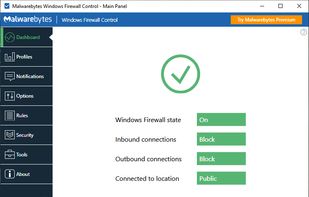
WFC is not a firewall itself. What WFC does is to provide a wrapper around the existing firewall functionality already built into Windows and provides a sane, usable, and much more intuitive interface to the native firewall. The benefit of this approach is that there are no compatibility issues and there are no performance issues.
A properly configured firewall should be secure, but something you don't think about, and don't notice unless there's an issue. With WFC, the native firewall in Windows finally reaches this level.