


YubiKey
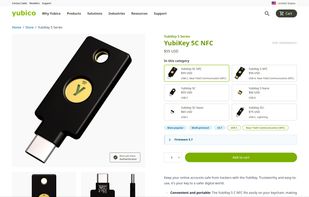
The multi-protocol security key offers the highest assurance, protecting devices with passwordless workflows and strong 2FA against phishing. It plugs into computers, tablets, and mobile devices, integrates PIN or biometric for identity verification, and reduces helpdesk costs.

Cost / License
- Pay once
- Proprietary
Application type
 EU
EUPlatforms
- Mac
- Windows
- Linux
- Google Chrome


Features
YubiKey News & Activities
Recent News
- POX published news article about YubiKey
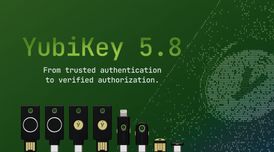 YubiKey 5.8 extends passkeys from secure authentication to verifiable authorization
Yubico has officially released YubiKey 5.8, marking an expansion of the role of the passkey from se...
- Maoholguin published news article about Yubico Authenticator
 Critical flaw in YubiKey two-factor authentication tokens allows potential cloning
A critical security vulnerability has been discovered in YubiKey two-factor authentication tokens, ...


Recent activities


Featured in Lists

Privacy-enhancing software I trust / recommend. Browsers and their extensions, email providers, VPN services,...

The ultimate list of apps/services for better Security, Privacy & Anonymity; Defense against Surveillance. What...

Best software and/or services privacy related that you can get. Some choices are really close, some others are based...
What is YubiKey?
YubiKey information
Developed by
 Yubico
 Licensing
Proprietary and Commercial product.Pricing
One time purchase (perpetual license) ranging between $50 and $75.Alternatives
27 alternatives listedBadge
Get an embeddable badge for YubiKeySupported Languages


Comments and Reviews
Yubikeys are small (or even very small) USB devices purchased from Yubico. Their primary purpose is to increase your online security when configured with supporting online accounts (including Gmail, LastPass and Fastmail, to name a few).
On logging into an account, you enter your password. Then, if your Yubikey has been configured, you are asked for your Yubikey code. You simply plug your Yubikey into a USB port and press it. This generates a one-time password, which is sent to a server for verification, and which cannot be reused. If you have the correct Yubikey, you are logged into your account.
Yubikeys are therefore a type of second-factor authentication (2FA) based on the principle that you should be asked for something you know (a password) as well as something you have (in this case your Yubikey) to authenticate you.
I have used Yubikeys with various online services for 2 years. They are convenient, nearly indestructible and come with several advantages over other 2FA methods. The first is that you can configure multiple Yubikeys with multiple accounts, even with people you trust. So if you lose your Yubikey, a friend can help you with theirs. (Your friend can't log in instead of you though, because they don't know your password.) Secondly, they are anonymous in the sense that Yubikeys hold no information about you, and neither does the manufacturer Yubico. They are also a good alternative to using 2FA apps on mobile phones (e.g. Google Authenticator or Authy). They are very, very tough and much cheaper to replace than a phone.