




Zimbra Desktop
32 likes
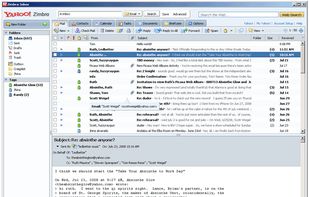
The free Zimbra Desktop client allows you to meld the online and offline worlds – storing and synching your email, calendar, contacts, files and documents in the cloud, yet having them locally accessible when on the road.

Cost / License
- Free Personal
- Proprietary
Application typeApplication types
Platforms
- Mac
- Windows
- Linux


Features
Zimbra Desktop News & Activities
Highlights All activities
Recent News
No news, maybe you know any news worth sharing?
Share a News TipRecent activities
 c17s5qhu added Zimbra Desktop as alternative to Meron
 flectar added Zimbra Desktop as alternative to Flectar Mail
 SudoVanilla added Zimbra Desktop as alternative to Hylki
 Ertan-Yuce added Zimbra Desktop as alternative to MailCode
 benni347 added Zimbra Desktop as alternative to kurrier
- Happymomof2 liked Zimbra Desktop


What is Zimbra Desktop?
Zimbra Desktop information
Developed by
 Zimbra
 Licensing
Proprietary and Free Personal product.Alternatives
58 alternatives listedBadge
Get an embeddable badge for Zimbra DesktopSupported Languages


Comments and Reviews
on the publisher's download page, I can read today: The Zimbra Desktop is no longer supported. It will reach the end of Technical Guidance October 1, 2019.
I installed this application just to try it, as I do not like GNOME politics so much. I believe in the configurability of applications.
Zimbra is extremely difficult to install under a 64-bit linux (debian). To begin with it requires the obsolete ia32-libs package.
I managed to get around this by installing various other i386 package in multi-arch, but it still failed until I traced the program to see what it was looking for.
Once I installed the other dependencies it still hung until I put a 32-bit java JRE in my PATH ahead of the normal 64-bit version. This was just a guess on my part after I tried a lot of other things.
Short answer, if you are on a 32-bit system, this might actually work. The interface is nice if a bit slow, and I would like it better than evolution if it didn't require so much mess.
I have to recommend against zimbra desktop under linux until it's updated to deal with modern installations on modern hardware.
-cem
S/MIME is only available in the commercial ZCS Network Edition and thn only in the Advanced Zimbra Web Client.
If you write an eMail with Zimbra Desktop, is not possible to paste a picture or ScreenShot from the clipboard into the new Mail or to store a Mail as txt-File. Both are possible with Thunderbird or Outlook. Storing as txt-file is not reliable with Thunderbird, only with Outlook.