
Apps tagged with 'Window Manager' Page 6 of 13

All apps in Apps tagged with 'Window Manager' category. Use the filters below to narrow down your search. 
Copy a direct link to this comment to your clipboard
  1. MaxTo icon
     19 likes

    Keyboard-first window manager for Windows. Build your own grid on every monitor, then snap any window into place with one hotkey.

    Cost / License

    • Paid
    • Proprietary

    Application type

    Platforms

    • Windows
    • NO flagNorway
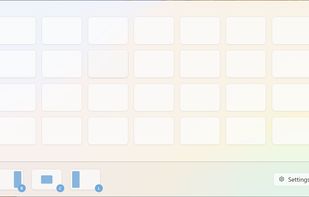
    The resize window
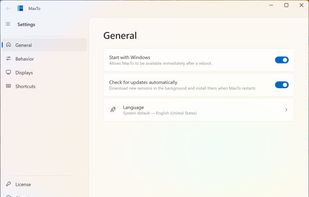
    MaxTo's general settings
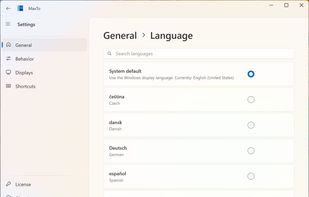
    Language selection screen
    +3
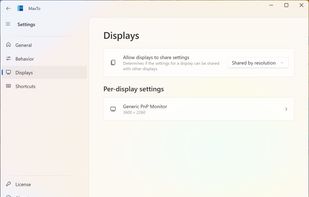
    Display configuration
    25 alternatives
  2. wmii icon
     9 likes

    wmii is a small, dynamic window manager for X11. It is scriptable, has a 9p filesystem interface and supports classic and tiling (acme-like) window management. It aims to maintain a small and clean (read hackable and beautiful) codebase.

    Cost / License

    • Free
    • Open Source

    Application type

    Platforms

    • Linux
    wmii screenshot 1
    75 alternatives
  3. TurboTop icon
     7 likes

    Like the "Always on Top" feature that some programs have? TurboTop lets you set any window to be "Always on Top!"

    Cost / License

    • Free
    • Proprietary

    Application type

    Alerts

    • Discontinued

    Platforms

    • Windows
    • US flagUnited States
    TurboTop screenshot 1
    TurboTop screenshot 1
    12 alternatives
  4. With MultiMonitorTool, you can disable/enable monitors, set the primary monitor, save and load the configuration of all monitors, and move windows from one monitor to another.

    Cost / License

    • Free
    • Proprietary

    Application type

    Platforms

    • Windows
    • IL flagIsrael
    MultiMonitorTool screenshot 1
    15 alternatives
  5. ForceToolkit icon
     2 likes

    ForceToolkit is a small but powerful Windows freeware utility that provides a few functions forcibly modify the state of other program controls. This tool allows users to enable grey out buttons and checkboxes, hide windows and let them run in the background, make windows always...

    Cost / License

    • Free
    • Proprietary

    Application type

    Platforms

    • Windows
    • CN flagChina
    ForceToolkit - Force to enable disabled buttons and checkboxes, hide running programs, make windows always on top, change window size and position, close applications and more!
    2 alternatives
  6. JWM icon
     5 likes

    JWM is a light-weight window manager for the X11 Window System. JWM is written in C and uses only Xlib at a minimum. Because of its small footprint, JWM makes a good window manager for older computers and less powerful systems, such as the .

    Cost / License

    • Free
    • Open Source (MIT)

    Application type

    Platforms

    • Linux
    JWM screenshot 1
    76 alternatives
  7. WindowTabs icon
     25 likes

    Adds browser-style tab functionality for desktop application windows, allowing grouping, dragging, and organizing multiple open programs for easier management.

    Cost / License

    • Free
    • Open Source (MIT)

    Platforms

    • Windows
    Tabbed Application
    Filtering Settings
    Advanced Settings
    35 alternatives
  8. DockView is a macOS utility that shows live previews (thumbnails) of an application’s open windows when you hover over its icon in the Dock. You can quickly switch, minimize, or close windows directly from that preview panel — all without altering the system Dock itself.

    Cost / License

    • Paid
    • Proprietary

    Application type

    Platforms

    • Mac
    • UA flagUkraine
    DockView for macOS Dock screenshot 1
    DockView for macOS Dock screenshot 1
    DockView for macOS Dock screenshot 2
    +1
    DockView for macOS Dock screenshot 3
    17 alternatives
  9. workspacer icon
     3 likes

    workspacer is a tiling window manager for Windows 10, similar in style and function to common unix tiling window managers (dwm, i3, xmonad).

    Cost / License

    • Free
    • Open Source (MIT)

    Application type

    Platforms

    • Windows
    split screen view
    12 alternatives
  10. XQuartz icon
     15 likes

    This provides a windowing system for some applications that normally run on Linux, as well as for forwarding GUI from the server to your client computer.

    Cost / License

    • Free
    • Open Source

    Application type

    Platforms

    • Mac
    XQuartz screenshot 1
    4 alternatives
  11. WinDock icon
     17 likes

    WinDock is a window manager ideal for large, or multi-monitor setups.

    Features: -Easy and intuitive drag-and-drop action to simplify moving and resizing Windows. -Highly customizable docking rules that specify how you want your windows to behave. -Multiple rule profiles/layouts.

    Cost / License

    • Free
    • Proprietary

    Application type

    Platforms

    • Windows
    • CA flagCanada
    WinDock screenshot 1
    WinDock screenshot 1
    20 alternatives
  12. LeftWM icon
     3 likes

    Left is a tiling window manager written in rust for stability and performance. The core of left is designed to do one thing and one thing well. Be a window manager. Because you probably want more than just a black screen LeftWM is built around the concept of theming.

    Cost / License

    • Free
    • Open Source (MIT)

    Application type

    Platforms

    • Linux
    LeftWM screenshot 1
    LeftWM screenshot 1
    LeftWM screenshot 2
    +1
    LeftWM screenshot 3
    74 alternatives
  13. Sxitch icon
     1 like

    Sxitch is a powerful and native app switcher for MacOS. You pick the app you want to switch to based on the apps name. Simply type "z" and switch to Zen. Or press ctrl + q and then "G" to quit ghostty. Don't want to see finder in the app switcher?

    Cost / License

    Application type

    Platforms

    • Mac
    • Global
    sxitch banner
    sxich main page / default page
    sxitch filtered page
    +9
    sxitch hide mode
    32 alternatives