Apps tagged with 'Secure Note Taking'

All apps in Apps tagged with 'Secure Note Taking' category. Use the filters below to narrow down your search. 
Copy a direct link to this comment to your clipboard
  1. Lockbook icon
     24 likes

    End-to-end encrypted notes, sketches, and files synced across devices with no personal info collected, using open-source, native apps for privacy and security.

    Cost / License

    Application type

    Platforms

    • Mac
    • Windows
    • Linux
    • Android
    • iPhone
    • Android Tablet
    • iPad
    • Flathub
    • Flatpak
    • Self-Hosted
    • US flagUnited States
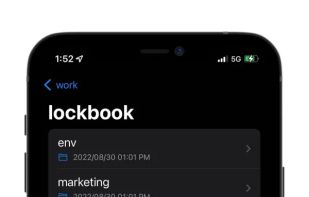
    Lockbook screenshot 1
    Lockbook screenshot 1
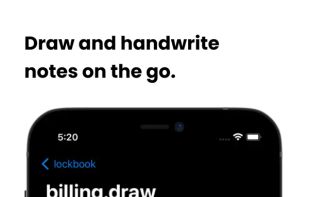
    Lockbook screenshot 2
    +8
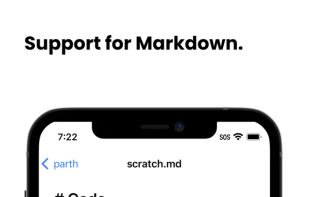
    Lockbook screenshot 3
    103 alternatives
  2. Mimiri Notes icon
     22 likes

    Mimiri Notes provides a safe place to store your notes, passwords, and confidential data with strong encryption and real-time synchronization across all your devices.

    Cost / License

    Application type

    Platforms

    • Mac
    • Windows
    • Linux
    • Online
    • Android
    • iPhone
    • Android Tablet
    • iPad
    • Self-Hosted
    • Snapcraft
    • Google Chrome
    • Flathub
    • Flatpak
    • Mozilla Firefox
    • CH flagSwitzerland
    Main app window - Dark mode
    Main app window - Light mode
    View all historical changes on a note
    +3
    Share with friends and collaborate on notes
    108 alternatives
  3. Byepass icon
     1 like

    ByePass is a password manager that provides secure online transactions and password management across multiple devices. It uses local data encryption to store passwords and credit card information securely, only retrieving them when needed to minimize exposure.

    Cost / License

    • Freemium
    • Proprietary

    Application type

    Platforms

    • Mac
    • Windows
    • Android
    • iPhone
    • Android Tablet
    • iPad
    • Microsoft Edge
    • Google Chrome
    • Mozilla Firefox
    • Android Wear
    • US flagUnited States
    Byepass screenshot 1
    Byepass screenshot 1
    Byepass screenshot 2
    +2
    Byepass screenshot 3
    56 alternatives
  4. SAASPASS icon
     6 likes

    SAASPASS is an Authenticator, Password Manager and a repository for Secure notes. It also secures access to computers such as Macs and Win with two-factor authentication. It can be used for personal use and/or by a company to secure their cloud apps.

    Cost / License

    • Free
    • Proprietary

    Application type

    Platforms

    • Android
    • iPhone
    • Android Tablet
    • iPad
    • Apple Watch
    • Android Wear
    • US flagUnited States
    SAASPASS screenshot 1
    SAASPASS screenshot 2
    SAASPASS screenshot 3
    39 alternatives
  5. SecNote icon
     2 likes

    End-to-end encrypted, read-once notes. AES-256-GCM in the browser, proof-of-work spam protection, zero accounts. Self-hostable, with Rust backend.

    Cost / License

    Platforms

    • Online
    • Software as a Service (SaaS)
    • AE flagUnited Arab Emirates
    SecNote screenshot 1
    SecNote screenshot 1
    SecNote screenshot 2
    +2
    SecNote screenshot 3
    12 alternatives
  6. KNote icon
     2 likes

    KNote is an easy to use wiki-like note taking program with built in file management and blogging capabilities.

    Cost / License

    • Free Personal
    • Proprietary

    Application type

    Alerts

    • Discontinued

    Platforms

    • Windows
    KNote screenshot 1
    165 alternatives
  7. AllSecure icon
     Like

    If you frequently visit many web sites, chances are you have more than a dozen passwords. Theyre probably easy to guess, or worse, theyre written down someplace for easy access because theyre impossible to remember.

    Cost / License

    • Paid
    • Proprietary

    Application type

    Platforms

    • Mac
    AllSecure screenshot 1
    AllSecure screenshot 1
    AllSecure screenshot 2
    108 alternatives
  8. Record a thought by voice or type it. Seconds later it comes back to you titled, summarised, and broken into the things it actually contained: the observations you made, the tasks you committed to, the questions you left open, and the people and places you mentioned.

    Cost / License

    • Paid
    • Proprietary

    Application type

    Platforms

    • Online
    • PT flagPortugal
    • European Union flagEU
    Speak or type a thought and Pensatorium files it by what it's about — or you pick the folder yourself. Any date you mention becomes a scheduled action, shown here on the home screen. Connect your calendar once and they all appear in Google Calendar, Apple Calendar or Outlook too.
    The thought as it comes back: titled, filed, and still in your own words — with a reflection on it already waiting underneath.
    Underneath every thought: a reflection on what you were weighing, the tasks you committed to, and the dates you mentioned.
    +4
    Everything you mentioned a date for, gathered into one month. Open any entry to see the exact phrase that created it, its recurrence, and the thought it came from — and edit any of it.
    10 alternatives