


Zim
521 likes
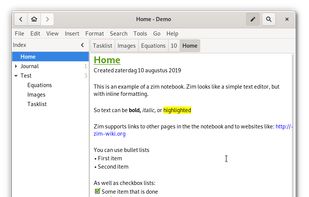
Zim brings the concept of a wiki to your desktop. Store information, link pages and edit with WYSISYG markup or directly typing some lightweight markup syntax and see it previewed as-you-type. Creating a new page is easy by either clicking on the "Create new note"...

Cost / License
- Free
- Open Source (GPL-2.0)
Application typeApplication types
 EU
EUPlatforms
- Mac
- Windows
- Linux
- BSD
- Flathub
- Flatpak


Features


Zim News & Activities
Highlights All activities
Recent News
No news, maybe you know any news worth sharing?
Share a News TipRecent activities





Featured in Lists

These are all the software I use on my windows machine. I am privacy freak. So, I mostly use open source software....
List by sam with 100 apps, updated

This guide is designed for anyone looking to take greater control of their digital life by choosing open-source...
List by EUFOSS9132 with 126 apps, updated

Free, Free, Freemium and Commercial Windows, Web, Self Hosted and Chrome
List by rikasfontwitter with 60 apps, updated
What is Zim?
Zim Videos
Zim information
Developed by
 Jaap G Karssenberg
 Licensing
Open Source (GPL-2.0) and Free product.Written in
Rating
Average rating of 4.1Alternatives
361 alternatives listedBadge
Get an embeddable badge for ZimSupported Languages

AlternativeTo Categories
Education & Reference, Office & ProductivityGitHub repository
- 2,201 Stars
- 398 Forks
- 444 Open Issues
- Updated


Comments and Reviews
If you would like to sync your Zim wiki database between computers, but don't want to have the plain text version synced (e.g. because of Dropbox/GoogleDrive/OneDrive/Box privacy concerns), you can always save your Zim database file in an encrypted Vault using the excellent open source and cross-platform app Cryptomator.
Otherwise, you can sync using Spideroak, Tresorit, or pCloud's encrypted folder. All of these are end-to-end encrypted.
An additional benefit of using Cryptomator is that you can close Zim, lock the vault in Cryptomator and other users on the same computer won't be able to open or access your Zim database contents.
This solution should be included on the Zim FAQ page, which says that you can't have encryption. This is an easy and convenient solution.
Please send a mail to the devs, this is indeed a very good idea! Thank you for the report!
The best note-taking app for Linux in terms of features... but it doesn't use markdown. Seriously, I am so used to markdown that I even use it on paper, so any software that does not offer such a basic feature is totally unusable for me. :(
Fast, no markdown to screw characters/formatting, offline and requires HI instead of AI, actual wysiwyg, does what it should with no fuzz or requiring 100's of plugins, the downside is gtk which is ugly anywhere.
I like Zim because of its small size window for note-taking while reading
Zim is a really good app to store notes, data, to do, knowledge and more. It is open-source and there are a lot of plugins to extend Zim, there are options for customizing it's look and it is really comfortable to use.
Doesn't bring in webpage hyperlinks like CherryTree and Obsidian does. No text colors. You could use it as a ToDo Manager since it does make checkboxes easy, but it's not really set up like that with drag/drop calendar functionality like Elisi: Digital Bullet Journal Installing plug-ins is an effort. To install plugins for Zim on Windows, you should create a plugins folder in %APPDATA%/zim/data/zim/plugins/ etc
Zim is a good way of organizing and accessing the piles of useful and often referenced information in my life.