




Equalizer APO
106 likes
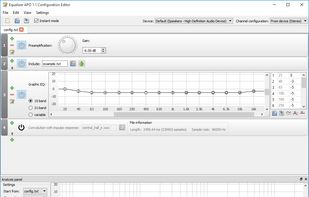
Equalizer APO is a parametric / graphic equalizer for Windows. It is implemented as an Audio Processing Object (APO) for the system effect infrastructure introduced with Windows Vista.

Cost / License
- Free
- Open Source
Application type
 EU
EUPlatforms
- Windows


Features
Equalizer APO News & Activities
Highlights All activities
Recent News
No news, maybe you know any news worth sharing?
Share a News TipRecent activities
 Cole-Stanfield added Equalizer APO as alternative to Spectra
 Nico-Traina added Equalizer APO as alternative to EQ Sonora
 TheEmperorArt added Equalizer APO as alternative to ViPER4Android FX
 TheEmperorArt added Equalizer APO as alternative to ViPER4Windows Redesigned
- maurosoft391 liked Equalizer APO
 Mathias-Schneider added Equalizer APO as alternative to MixDesk X
 Fla added Equalizer APO as alternative to Granular Volume
- villain liked Equalizer APO
 OrdinaryPerson added Equalizer APO as alternative to 32steps
 justarandom added Equalizer APO as alternative to Equalizer314


Featured in Lists

I use these software on my Windows 10 Systems
List by Richard Rothacker with 31 apps, updated

Great Software that Never Lets Me Down AlternativeTo won't let me add it to the list, but Windows Ameliorated is...
List by Kai Nau with 66 apps, updated

🏆 = seriously impressed/impresses me
List by Hush1503 with 86 apps, updated
What is Equalizer APO?
Equalizer APO information
Developed by
 Jonas Thedering
 Licensing
Open Source and Free product.Rating
Average rating of 4.7Alternatives
34 alternatives listedBadge
Get an embeddable badge for Equalizer APOSupported Languages



Comments and Reviews
Allowed me to boost the volume
Awesome! You may just have one problem where you need to enable SFX/EFX in configuration in order to work but other than that it works well and cpu utilization is very low.
It's open source!
Amazing, it improved my device volume!
I had to swap my speakers on my desk, and Equalizer APO works great with swapping the left and right channels of the SPDIF output of my Sound Blaster Z.
My laptop was often too quiet when watching movies or series with just the normal speakers. This lets me amplify the noise to an acceptable level, without distorting the sound too much.
I got a bit bored of neutral sound of my headphones so I also increased the bass just a little.
The included UI lets me target different output devices so I can edit the sound.
Very satisfied.
Really good system-wide EQ. Perfect for correcting speaker and room coloration. Comes with a nice interface to edit the settings in real time without having to open the text-based config files. The only drawback is that it can be slightly buggy, especially if you have external devices. You might have to reapply the configuration and reboot from time to time.