





FFmpeg Batch AV Converter
19 likes
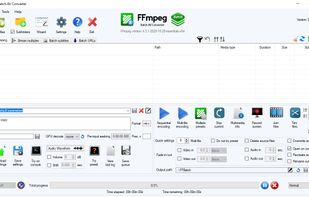
A Windows front-end for ffmpeg users, that allows to use the full potential of ffmpeg command line with a few mouse clicks in a convenient GUI with drag and drop, file details, progress information.

Cost / License
- Free Personal
- Open Source
Application typeApplication types
 EU
EUPlatforms
- Windows

Features
FFmpeg Batch AV Converter News & Activities
Highlights All activities
Recent News
No news, maybe you know any news worth sharing?
Share a News TipRecent activities
 chenjindu added FFmpeg Batch AV Converter as alternative to FreeCompress.video
 Mustafa-6478 added FFmpeg Batch AV Converter as alternative to VidShrink
 hbach added FFmpeg Batch AV Converter as alternative to OpenConvertVideo
 JacobsLadders added FFmpeg Batch AV Converter as alternative to Video Squisher
- lost8865 liked FFmpeg Batch AV Converter
 TheEmperorArt added FFmpeg Batch AV Converter as alternative to ShanaEncoder
- FedePrescia liked FFmpeg Batch AV Converter
- RemovedUser updated FFmpeg Batch AV Converter
- RemovedUser updated FFmpeg Batch AV Converter
 RemovedUser added FFmpeg Batch AV Converter as alternative to Edconv


FFmpeg Batch AV Converter information
Developed by
 eibol
eibol Licensing
Open Source and Free Personal product.Alternatives
36 alternatives listedBadge
Get an embeddable badge for FFmpeg Batch AV ConverterSupported Languages


Comments and Reviews
Essentially a gui for ffmpeg which make it much more user friendly. CLI input is also possible so you are not limited to what the gui offers.