


Nimble Commander
21 likes
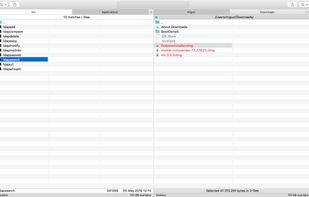
Modern dual-pane file manager for MacOSX. Quick, efficient and keyboard-oriented.

Cost / License
- Free
- Open Source (GPL-3.0)
Application type
Platforms
- Mac


Features
Nimble Commander News & Activities
Highlights All activities
Recent News
No news, maybe you know any news worth sharing?
Share a News TipRecent activities
 Iakov-Senatov added Nimble Commander as alternative to mimiNavigator
 ComfortFiles added Nimble Commander as alternative to ComfortFiles
 Maik-Hofmann added Nimble Commander as alternative to Peach Commander
 guardiandevelopment added Nimble Commander as alternative to Cosmil
- Mnemosynee added Nimble Commander as alternative to DockDuck
 goodbug89 added Nimble Commander as alternative to Unifyl
 kazuy added Nimble Commander as alternative to DraftFinder
 nickn17 added Nimble Commander as alternative to nViPER
 SADFinder added Nimble Commander as alternative to SADFinder
 POX added Nimble Commander as alternative to Rascal


Nimble Commander information
Developed by
 Michael Kazakov
 Licensing
Open Source (GPL-3.0) and Free product.Pricing
One time purchase (perpetual license) that costs $25.Written in
Rating
Average rating of 4.5Alternatives
47 alternatives listedBadge
Get an embeddable badge for Nimble CommanderSupported Languages

AlternativeTo Categories
File Management, OS & UtilitiesGitHub repository
- 721 Stars
- 54 Forks
- 24 Open Issues
- Updated


Comments and Reviews
For years I've been used to work with 5 different managers. Now I'm with Nimble Commander. Why? There are 5 reasons:
It's very nimble. I even say it's invisible for the system. You just do your work and don't switch different programmes.
It has 100+ hotkeys. Do you know other dual-pane managers with 100+ hotkeys?
There aren't a lot of useless buttons - only several you need for working.
I can rename a lot of files. Last time I renamed 63 files and during this process system work very well.
File search. It's flexible and powerful.
And 6. I know that I can go to the forum and say to developers what I need in Nimble Commander. And they'll do it. It's important, very important.
Best, Alex
Being a power user who does most of the work on Windows, I've always been a huge fan of Total Commander. That is the most amazing tool and I was missing it sorely on Mac. I've tried 10 or 15 file management apps, but nothing came even close.
Until Files.app. It was one of the last I've tried and it surprised me. It's still pretty early in development, but already fully usable. Here's a list of features I've found unique about Files:
There are many more great things about this tool. If you're coming from Windows and searching for a good Commander -- give this one a try. It might just be the one for you!
[Edited by darekr, April 18]