FletchShot icon
FletchShot icon

FletchShot

FletchShot is a screenshot annotation tool for macOS built for people who liked the Skitch feel — the tapered pink arrow, the instant capture-to-canvas window, the drag-away tab at the bottom edge that drops a real image file straight into Slack, Finder, Mail or your terminal.
FletchShot screenshot 1

Cost / License

  • Freemium (Pay once)
  • Proprietary

Application type

Platforms

  • Mac
1like
0articles

Features

Properties

  1.  Privacy focused
  2.  Lightweight

Features

  1.  Dark Mode
  2.  Support for 4K
  3.  No registration required
  4.  Works Offline
  5.  Annotate Screenshot
  6.  No Tracking
  7.  Ad-free
  8.  OCR
  9.  Apple Silicon support
  10.  Screen Recording

FletchShot News & Activities

Highlights All activities

Recent activities

FletchShot information

  • Developed by

    JP flagGONOSEN, K.K.
  • Licensing

    Proprietary and Freemium product.
  • Pricing

    One time purchase (perpetual license) that costs $10 + free version with limited functionality.
  • Alternatives

    5 alternatives listed
  • Badge

    Get an embeddable badge for FletchShot
  • Supported Languages

    • English
    • Japanese
FletchShot was added to AlternativeTo by devacxx01 on and this page was last updated .
No comments or reviews, maybe you want to be first?

Official Links

What is FletchShot?

FletchShot is a screenshot annotation tool for macOS built for people who liked the Skitch feel — the tapered pink arrow, the instant capture-to-canvas window, the drag-away tab at the bottom edge that drops a real image file straight into Slack, Finder, Mail or your terminal. Default hotkey is Option-Command-4, the one your hands already know.

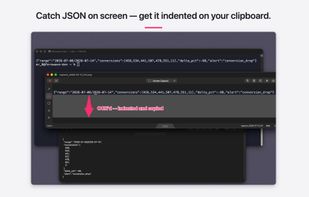
Rich features, kept light. Screen recording (full screen, area, or window) with MP4 or GIF export. On-device OCR (Apple Vision) that pulls text out of any capture — and reformats JSON on the clipboard automatically. Capture history of the last 50 shots, kept locally. Pinned "always on top" captures. Re-shoot the exact same region with one hotkey. Numbered stamps, highlighter, shapes, text in four fonts, pixelate. Each feature has just a handful of settings — great defaults, three seconds to use, no forest of dials.

Nothing leaves your Mac. Zero network calls. No account, no cloud, no analytics.

Free to download with a 14-day full-feature trial; after that, capturing and drawing stay free forever, and a one-time $9.99 unlocks saving, copying, and sharing. No subscription, ever. Universal binary — native on both Apple Silicon and Intel. macOS 14 or later, distributed through the Mac App Store (App Sandbox).
