





iSkitch
1 like
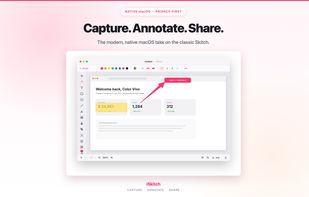
Native macOS tool for fast region, window or full screen capture, 14 annotation tools including arrows, text and highlight, image overlay, export to multiple formats, full undo/redo, privacy-first operation—no tracking or data collection, native share integration.

Cost / License
- Pay once
- Proprietary
Application type
 EU
EUPlatforms
- Mac


Features
iSkitch News & Activities
Highlights All activities
Recent activities
 dcarrero added iSkitch as alternative to Pink Arrows
 devacxx01 added iSkitch as alternative to FletchShot
- dcarrero liked iSkitch
- Maoholguin updated iSkitch
- dcarrero added iSkitch
 dcarrero added iSkitch as alternative to ShareX, Flameshot, Lightshot and Snipping Tool





iSkitch information
Developed by
 Color Vivo Internet
 Licensing
Proprietary and Commercial product.Pricing
One time purchase (perpetual license) ranging between $9 and $10.Alternatives
22 alternatives listedBadge
Get an embeddable badge for iSkitchSupported Languages
AlternativeTo Category
Photos & Graphics

No comments or reviews, maybe you want to be first?
