




Shottr
28 likes
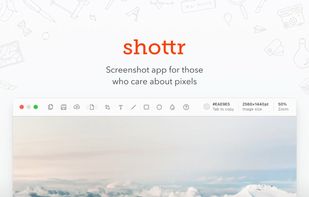
Shottr is a compact screenshot app designed for pixel precision and optimized for macOS Silicon devices.

Cost / License
- Freemium (Pay once)
- Proprietary
Application type
Platforms
- Mac


Features
Shottr News & Activities
Highlights All activities
Recent News
- POX published news article about Shottr
 Screenshot app Shottr 1.9 adds S3-compatible cloud uploads & hand-drawn annotation styles
Shottr 1.9 introduces S3-compatible cloud upload, enabling users to send their screenshots to Amazo...
- POX published news article about Shottr
 Screenshot app Shottr 1.8 brings new backdrop tool, Raycast & Alfred integration, and more
Shottr, a robust screenshot tool for macOS, has launched version 1.8, packed with new features and ...


Recent activities
 PiftoWorks added Shottr as alternative to Capture Core
 c17s5qhu added Shottr as alternative to Zipline Android
- bearygarcia liked Shottr
 devacxx01 added Shottr as alternative to FletchShot
 ddibernardo added Shottr as alternative to Snippy Snip





Featured in Lists

## THIS LIST HAS BEEN DELETED DUE TO A BUG, SO IT MISSES SOME HONORABLE MENTIONS ! This is the apps for macOS that I...
List by Darlene Sonalder with 116 apps, updated
What is Shottr?
Shottr information
Developed by
 Electric Endeavors LLC
 Licensing
Proprietary and Freemium product.Pricing
One time purchase (perpetual license) ranging between $12 and $30 + free version with limited functionality.Rating
Average rating of 4.7Alternatives
125 alternatives listedBadge
Get an embeddable badge for ShottrSupported Languages


Comments and Reviews
The best free macOS screenshot tool out there, period
Shottr replaced my default Mac screenshot tool about an hour after I installed it. built-in annotation, scrolling captures, either save or copy in memory, then paste in Slack... So handy! it does what you'd expect plus a few things you didn't know you needed. Fast, lightweight, no subscription. Not much else to say.
Much better than native Mac screenshot feature. It’s lightweight and easy to use. Love the editing tool using keyboard shortcuts to like b for blur and a for arrow. Super intuitive.
The app actually so good I sometimes use it to edit images that come from other sources. Blurring, erasing, cropping are really comfy to use. I also like this feature that once you make a screenshot, you can either put it into the buffer for copying or save on the drive (most often, I make screenshots to send them in Slack).
Excellent for OCR, screenshots and scrolling screenshots.
Couldnt get it to scrolldown in firefox and take a screenshot
Très bon logiciel qui évolue correctement. Dommage qu'il ne soit pas open-source.