




Gradia
19 likes
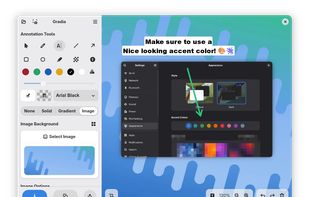
Make your screenshots ready for the world. Gradia allows you to quickly modify screenshots of application windows to put them better in context.

Cost / License
- Free
- Open Source (GPL-3.0)
Application type
 EU
EUPlatforms
- Linux
- Snapcraft
- Arch Linux
- Flathub
- Flatpak


Features
Gradia News & Activities
Highlights All activities
Recent News
- Fla published news article about Gradia
 Gradia v1.11 adds OCR in 19 languages and bulk annotation editing
Gradia v1.11.0 and v1.11.1 introduce OCR with support for 19 languages, enhancing text extraction c...
- POX published news article about Gradia
 Screenshot editing software Gradia 1.7 adds new tool to showcase code snippet images
Gradia 1.7.0 is now available as the latest version of this free and open source screenshot editing...
- Fla published news article about Gradia
 Gradia 1.6.0: direct image upload, aspect ratio menu & enhanced annotation tools
Gradia 1.6.0 introduces direct image upload support, allowing users to send screenshots to a range ...


Recent activities



What is Gradia?
Gradia information
Developed by
 Alexander Vanhee
 Licensing
Open Source (GPL-3.0) and Free product.Written in
Rating
Average rating of 5Alternatives
20 alternatives listedNews
3 news article related to GradiaBadge
Get an embeddable badge for GradiaSupported Languages

AlternativeTo Category
Photos & GraphicsGitHub repository
- 1,150 Stars
- 88 Forks
- 113 Open Issues
- Updated


Comments and Reviews
Love it, the best screenshot and annotation tool for gnome