




Honeyview
102 likes
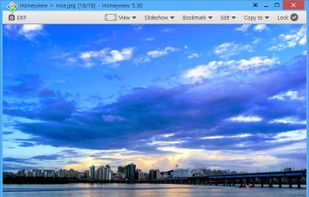
Lightweight Windows tool for viewing images with archive extraction, slideshow options, configurable skins, zoom, rotation, multiple formats including comic files, filter effects, shell integration, customizable input, gamma correction, and language choices.

Platforms
- Windows


Discontinued
The product is no longer updated by the company, its successor is  BandiView . Last version, 5.53, released in June 2024, can be still downloaded from the official website.

Features
Honeyview News & Activities
Highlights All activities
Recent News
No news, maybe you know any news worth sharing?
Share a News TipRecent activities
Featured in Lists

After a fresh Windows installation, new users might get frustrated by the weakness of the default Microsoft apps. So,...
List by Malaz YI with 43 apps, updated

I use these software on Windows
List by yaqinking with 63 apps, updated

Here is a list of software needed by everyday users to get the most out of their experience on Windows. In this list I...
List by Malaz YI with 12 apps, updated
What is Honeyview?
Honeyview information
Developed by
 Bandisoft
 Licensing
Proprietary and Free product.Rating
Average rating of 4.6Alternatives
55 alternatives listedBadge
Get an embeddable badge for HoneyviewSupported Languages


Comments and Reviews
My best default image viewer. Super fast. RAW support. Wisely customizable. Thoughtful functionality. Portable. One of the best software I ever use.
not open source and has data collection according to EULA, from which you cannot opt out of. bad practice. a bit weird interface but does everything you need and fast. has some interlacing and filtering options, which is interesting. shell extension is very useful (windows). isn't cluttered with options like xnview. has everything you'll need from an image viewer. there's one odd issue though: testing the image quality between this, irfanview, qview and xnview, I noticed that honeyview seems to be more bright than the others. this is bad, cause the colours look less vibrant and isn't accurate. EDIT: It was due to monitor ICC being enabled. Disabling it resulted in a normal looking image.
More than a simple viewer! Yet, verry fast and efficient! Will do Slideshows. Will allow scroll zoom in/out. However... it does seem to use substantially more memory than XnViewer Classic. Images look a lil crisper at first glance. I think that bottom navigation tool (which doesn't show in the screenshots) is a primary charm of this software.. but.. to get it out of the way.. right click on image, choose Config, View, do not show control bottom bar. Perhaps HoneyView is the way to go if you want to view images sequentially in a pleasant presentational slide manner. Unique feature puts image thumbnail in context menu.. very convenient! I just noticed another unique feature. There seems to be more on-screen instant flexibility in the resize window than viewers like XnView or IrfanView. You can instantly Pan the image (when it extends beyond the vision frame). FastStone also has that panning ability.
Love it. Simple lightweight image viewer. But its got some nice additions. It can help sharpen images for you slightly (it's not overdone), smooth edges etc.
I mainly like it because of its simplicity. I wanted something similar to the old XP photo viewer. Even though I know there are ways to get that back (at least on Win 10, IDK about Win 11 which I'm using now). But the quality is nowhere near as good thanks to those sharpening and smoothing options I mentioned.
One complaint I have, but I get the feeling it's not the devs fault. I wish the app could just automatically display photos in the order that they are sorted in the folder. Instead if you want that you have to change the apps settings to browse in the same order (date accsending for example) to match the folders settings.
But I haven't found any non Microsoft photo viewer that will automatically show you the photos in the same order they are in the folder.
Fast. Read compressed image files.
From their EULA: "We may work with analytics companies such as Google Analytics to help us understand how the Software is being used. You can stop the above actions easily by uninstalling the Software." So everything you do with this software may be sent to Google.
It's so fast and keyboard shortcut friendly