




mRemoteNG
229 likes
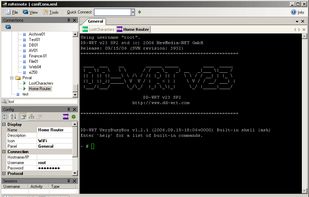
Manage remote connections efficiently with this open-source tool, featuring a tabbed interface supporting RDP, VNC, SSH, Telnet, HTTP, and more protocols, without any ads.

Platforms
- Windows
Discontinued
last update 7 years ago !

Features
mRemoteNG News & Activities
Highlights All activities
Recent News
No news, maybe you know any news worth sharing?
Share a News TipRecent activities
- bulldogs liked mRemoteNG
 Samarth-Kombemane added mRemoteNG as alternative to Kino SSH Manager
 neko1101 added mRemoteNG as alternative to Vortex SSH
- updated mRemoteNG
 Gia-Bursulaia added mRemoteNG as alternative to BURSU Connection Manager
 vavoem added mRemoteNG as alternative to Ctrl-V Terminal


Featured in Lists

Must have
List by Faradeus with 71 apps, updated

An up to date list of what I need in order to do my job.
List by lupuleasai with 63 apps, updated

A list with 51 apps by MorganT without a description.
List by MorganT with 51 apps, updated
What is mRemoteNG?

mRemoteNG information
Developed by
UnknownLicensing
Open Source (GPL-2.0) and Free product.Written in
Rating
Average rating of 4.5Alternatives
103 alternatives listedBadge
Get an embeddable badge for mRemoteNGSupported Languages

AlternativeTo Categories
Network & Admin, Remote Work & EducationGitHub repository
- 11,110 Stars
- 1,611 Forks
- 857 Open Issues
- Updated


Comments and Reviews
this is recommended tool for system admin and support
[Edited by Shojimeguro, June 28]
Hasn't been updated since 4/12/2019
Perfect to access multiple desktops.
I use this very useful tool to manage multiple servers and appliances (Windows, Linux, Cisco) and actively well maintained since 2012.
I still haven't found a replacement for this critical software. I have around 200 RDP and SSH added to mremoteng and still works with no major issues.
Amazing application to connect remotely to pretty much anything. It supports plenty of protocols (RDP, SSH, VNC, HTTPS), is multi-tab (huge win for productivity). And the tree view system is really helpful to organize connections in folders/subfolders, and configure settings (username, password) only once in the parent with inheritance.
Great Opensource and free Remote access tools. Winscp and Filezilla integration makes it more powerful. Must try it