mRemoteNXT icon
mRemoteNXT icon

mRemoteNXT

Native macOS multi-protocol remote connection client — SSH, RDP, Telnet, SFTP, HTTP/HTTPS in tabs. Imports mRemoteNG confCons.xml byte-for-byte. Built with Swift, FreeRDP and SwiftTerm.
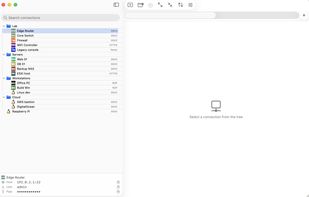
mRemoteNXT screenshot 1

Cost / License

Platforms

  • Mac
mRemoteNXT screenshot 1
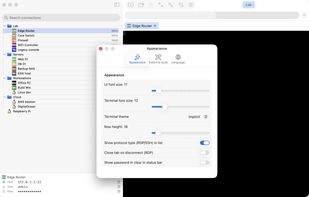
mRemoteNXT screenshot 2
0likes
0comments
0alternatives
0articles

Features

  1.  RDP
  2.  SwiftUI App
  3.  Swift App
  4.  Support for Multiple protocols
  5.  SSH

mRemoteNXT News & Activities

Highlights All activities

Recent activities

mRemoteNXT information

  • Developed by

    RO flagcremenescu
  • Licensing

    Open Source (GPL-2.0) and Free product.
  • Written in

  • Alternatives

    0 alternatives listed
  • Supported Languages

    • English
    • Romanian

AlternativeTo Category

Network & Admin

GitHub repository

  •  2 Stars
  •  0 Forks
  •  0 Open Issues
  •   Updated  
View on GitHub
mRemoteNXT was added to AlternativeTo by cremenescu on and this page was last updated .
No comments or reviews, maybe you want to be first?

What is mRemoteNXT?

mRemoteNXT is a free, open-source remote connection manager for macOS, built as a native replacement for mRemoteNG on the Mac. It opens your existing confCons.xml file directly — with the same connection tree, folders, panels, attribute inheritance and encrypted passwords — and lets you keep one configuration file between Windows and Mac (Dropbox, iCloud, or any shared folder).

SSH, Telnet, SFTP, RDP and HTTP/HTTPS sessions are embedded directly in tabs, so you don't need a separate terminal or RDP client open. SSH and Telnet run through SwiftTerm with PuTTY-style copy-on-select and right-click paste. RDP is powered by FreeRDP with the GFX pipeline, live resize and correct Retina DPI scaling. HTTP/HTTPS uses WKWebView with auto-fill for router, iLO and switch web interfaces.

The crypto scheme is re-implemented byte-exact (PBKDF2-HMAC-SHA1 + AES-256-GCM, salt as AAD), so passwords stay encrypted with the same scheme used by mRemoteNG. Files saved by mRemoteNXT on macOS are read back by mRemoteNG on Windows without complaint.

The .dmg is self-contained at about 21 MB — no Homebrew install required at runtime. The bundle is ad-hoc signed (no paid Apple Developer ID yet), so a one-time xattr command is needed to clear the Gatekeeper quarantine.

Bilingual UI (English default, Romanian), GPL-2.0-or-later, Apple Silicon, macOS 14 Sonoma or later.

Official Links