


OneNote Web Clipper
16 likes
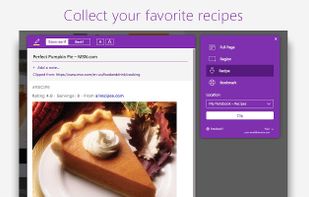
You're busy. OneNote Web Clipper lets you quickly clip all or part of a web page to OneNote, and save it for later. Clip images, pdfs, videos, or a visual bookmark of a page. Best of all, you can access them from any computer, tablet, or phone - even when you're offline.

Cost / License
- Free
- Proprietary
Application typeApplication types
Platforms
- Online
- Chrome OS
- Google Chrome
- Firefox


Features
OneNote Web Clipper News & Activities
Highlights All activities
Recent activities
 PB2025 added OneNote Web Clipper as alternative to FullGrab
- tooaverage added OneNote Web Clipper as alternative to Foldout Screenshot
- batata added OneNote Web Clipper as alternative to Batata
- POX added OneNote Web Clipper as alternative to Broadsheet
 sak96 added OneNote Web Clipper as alternative to ReadLater
 arximughal added OneNote Web Clipper as alternative to Smox - Fullpage Screenshots
 POX added OneNote Web Clipper as alternative to OpenScreenShot
 Mastro added OneNote Web Clipper as alternative to SnapIndex
 POX added OneNote Web Clipper as alternative to ShotGlass
 successtrending added OneNote Web Clipper as alternative to RibbonLinks


OneNote Web Clipper information
Developed by
UnknownLicensing
Proprietary and Free product.Alternatives
176 alternatives listedBadge
Get an embeddable badge for OneNote Web ClipperSupported Languages


Featured in Lists

A list with 292 apps by christineconnor without a description.
List by christineconnor with 292 apps, updated

A list with 807 apps by AmileyaRyver without a description.
List by AmileyaRyver with 807 apps, updated

Find the best and universal tools on the market to organize your big or small collection of bookmarks no matter which...
List by Devianticos with 25 apps, updated
Comments and Reviews
Kinda-sort saves parts of web pages. If you're trying to save some text from a page, I guess it works. If a page has anything more complicated, don't expect to have anything approaching a screenshot. FireShot does a much better job of grabbing a page or a portion of a page and giving you a near exact copy nearly every time.