ScreenRec Alternatives

ScreenRec is described as 'If you spend too much time on email and chat, try sending instant video messages and screenshots with ScreenRec. You'll get your point across faster and save precious hours' and is a popular screenshot capture tool in the photos & graphics category. There are more than 100 alternatives to ScreenRec for a variety of platforms, including Windows, Mac, Linux, Web-based and Google Chrome apps. The best ScreenRec alternative is OBS Studio, which is both free and Open Source. Other great apps like ScreenRec are ShareX, Flameshot, OpenScreen and SimpleScreenRecorder.

Copy a direct link to this comment to your clipboard
ScreenRec alternatives page was last updated

Alternatives list

  1. Recorder.app is designed to meet all your screen recording needs. Capture and record from multiple sources simultaneously. Record your entire screen, individual windows, camera video, microphone audio, and more.

    Cost / License

    • Freemium
    • Proprietary

    Application type

    Platforms

    • Mac
     
  2. Powerful Windows software for screen recording that allows you to accurately and easily record any activity on your screen.

    Cost / License

    • Free Personal
    • Proprietary

    Platforms

    • Windows
     
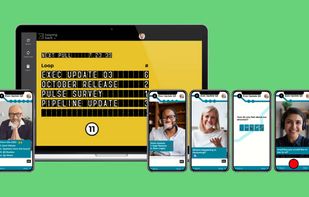
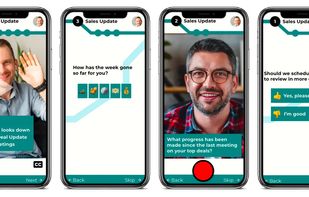
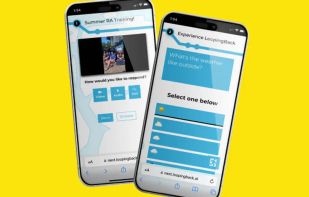
  3. LoopingBack enables video as a message and response type for surveys, emails, stand ups, and other communications. It also uses AI to help users get from collection of information to results faster.

    Cost / License

    • Freemium
    • Proprietary

    Platforms

    • Online
     
  4. Dadan icon
     Like

    Record, edit, and collaborate with video messages. 10X your content and productivity with Dadan's browser-based Screen video recorder and editor.

    Cost / License

    • Freemium
    • Proprietary

    Application type

    Platforms

    • Windows
    • Microsoft Edge
    • Google Chrome
     
  5. Screeny icon
     1 like

    Screeny gives you the freedom to capture your videos or images at any size. You can click & drag to resize the capture area or input the exact pixel dimensions to set to the size of the capture area.

    Cost / License

    • Paid
    • Proprietary

    Application type

    Platforms

    • Mac
     
  6. Hippo Video icon
     3 likes

    Hippo Video is an online video platform to create explainer videos, educational videos, how-tos, training videos, customer testimonials, video assignments, video tutorials, host videos and a video marketing platform.

    Cost / License

    • Freemium
    • Proprietary

    Application type

    Platforms

    • Online
    • Chrome OS
    • Google Chrome
     
  7. 321Soft Screen Video Recorder is designed to record your computer screen (full screen or a fixed area) into AVI video file for further purposes like editing, burning DVD, making slide show movie, etc.

    Cost / License

    • Paid
    • Proprietary

    Application type

    Platforms

    • Mac
    • Windows
     
  8. RecordAnyVid icon
     1 like

    It's an easy-to-use screen recorder software for Windows and Mac computers. With it, you can easily select the recording area such as screen or customized size you like.

    Cost / License

    • Paid
    • Proprietary

    Application type

    Platforms

    • Mac
    • Windows
     
  9. Boom Share AI icon
     7 likes

    Boom Share AI is a free asynchronous video messaging tool designed to enhance communication in business and productivity settings. It allows users to record video messages using their camera or screen, making it ideal for freelancers, remote teams, and agencies.

    Cost / License

    • Free
    • Proprietary

    Platforms

    • Online
    • Android
    • iPhone
    • Android Tablet
    • iPad
     
  10. Capster helps you enhance your asynchronous communication with captures of your screen. Record your screen as you demonstrate a feature, idea, or bug, or take a screenshot and annotate it to better convey your point - and instantly share it through the cloud.

    Cost / License

    • Freemium
    • Proprietary

    Application type

    Platforms

    • Mac
     
  11. BSR Screen Recorder captures video, sound, and pictures of anything you see on your screen and records to AVI (Standard Video Format), SWF (Flash File), WMV (Windows Media Video), and EXE (Executable File). Any portion of the screen can be selected for recording.

    Cost / License

    • Paid
    • Proprietary

    Application type

    Platforms

    • Windows
     
You are at page 8 of ScreenRec alternatives