


ShareMouse
94 likes
Seamlessly control multiple computers using one mouse and keyboard, switch between systems by moving the pointer, transmit input securely over LAN, share clipboard, support drag-and-drop files, and work across Windows or macOS with no hardware required.

Cost / License
- Freemium (Pay once)
- Proprietary
Application typeApplication types
 EU
EUPlatforms
- Mac
- Windows


Features
ShareMouse News & Activities
Highlights All activities
Recent News
No news, maybe you know any news worth sharing?
Share a News TipRecent activities
 DeskStitch added ShareMouse as alternative to DeskStitch
 sorensenlasse1980-code added ShareMouse as alternative to DualFlow KVM
 Maoholguin added ShareMouse as alternative to Switchy for Mac
 developersharif added ShareMouse as alternative to EasySwitch
 cursorhop added ShareMouse as alternative to CursorHop
 BHznJNs added ShareMouse as alternative to InputShare2


Featured in Lists

A list with 50 apps by boniaditya without a description.
List by boniaditya with 50 apps, updated

A list with 139 apps by boniaditya without a description.
List by boniaditya with 139 apps, updated
What is ShareMouse?
ShareMouse Videos
ShareMouse information
Developed by
 Bartels Media Gmbh
 Licensing
Proprietary and Freemium product.Pricing
One time purchase (perpetual license) ranging between $75 and $126 + free version with limited functionality.Rating
Average rating of 4.2Alternatives
20 alternatives listedBadge
Get an embeddable badge for ShareMouseSupported Languages


Comments and Reviews
Lots to love here: automatic configuration just works, and somehow knows the positions of my machine's monitors automatically. The registration key only needs to be entered on a single machine once, and it takes care of registering newly added machines automatically. But the kicker for me was that it did not suffer from keyboard modifier issues that has plagued Synergy for years now e.g. keyboard entry on a secondary mac running a Parallels VM just works without any shift key issues. Its been a long time since I was this impressed from installing a software product and its initial use. Well worth paying for!
the best thing about it is , it work without the need of internet conexion, not like many others !! if you have problems detecting other monitor check your firewall rules
Can be used without home network being set up. I could see it working, but for some reason I couldn't get the mouse pointer to show on the alternate screen.. it just ghosted. I think the mouse pointer is a demo feature.. well then this is not software to use for free. If you don't want to be nagged right away, turn off all the demo settings.
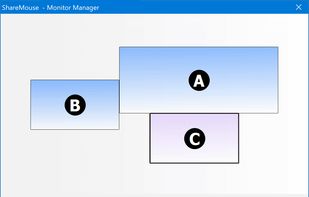
Effortless setup, easy operation but major bug in the monitor layout page, and it's NOT free if you have an extra monitor, started nagging two days later... And it's $80 for a license, get real!
How the EFFING, do you consider requiring a PRO License for HIGHER PRICE than a Windows 10 license?!?!? Also, HOW THE F do you control 2 PCs with ONE SCREEN?!?!?!?!?!?!?!?!?!?!?!?!?!?
of course, ShareMouse Standard Edition supports TWO screens (one per computer) or more in Professional Edition ($58.-)
very interesting product but I don't understand how $58 (Jan 2023) becomes 91,46€ (Sept 2024) ... or maybe I'm just not getting it?
Works great unless you have more than 1 screen per PC. If you have more than 1 screen per PC it is $130/year.
ShareMouse is not a subscription (please check the bold print at https://www.sharemouse.com/shop/) and cost $58 one-time payment.
I have owned synergy for 4 years have yet to have it work out of the box. It's always a half hour to get it to work then you just have to not touch it once it does. It's beyond frustrating because I WORK IN TECH. I have 3 monitors, and a laptop. Sharemouse worked INSTANTLY out of the box. It's worth every penny. I would happily pay for something that just works at this point. Literally made this account just to say this. Sharemouse is the kind