
Shortcutty icon
Shortcutty icon

Shortcutty

Shortcutty is a shortcut launcher for Windows. If your desktop is cluttered with shortcuts or you constantly dig through folders to find your apps or files — this app lets you organize everything into tabs and groups, always one click away.
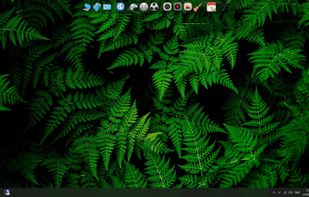
Shortcutty screenshot 1

Cost / License

  • Pay once
  • Proprietary

Application type

Platforms

  • Windows
  • Steam
0likes
0articles

Features

Properties

  1.  Lightweight
  2.  Support for Themes

Features

  1.  No Tracking
  2.  Works Offline
  3.  Ad-free
  4.  Desktop Application
  5.  Launcher
  6.  Application Launchers

 Tags

Shortcutty News & Activities

Highlights All activities

Recent activities

  • Guest reviewed Shortcutty  

    Looks very impressive with many configurable options to set the app up as to your preferred requirements. Low-cost, one-off price makes this a very viable alternative to some of the more costly alternatives on offer but the drawback is that it requires STEAM as a wrapper to make it work. Once that restriction is lifted I shall purchase it. Four stars as everything looked very impressive on the demo video but I haven't downloaded it to try: I have enough programs on my machine without having to...

  • piDock icon
    pidock added Shortcutty as alternative to piDock
  • DeskRipple icon
    deskripple added Shortcutty as alternative to DeskRipple
  • MetalPhoenix updated Shortcutty
  • MetalPhoenix updated Shortcutty
  • MetalPhoenix updated Shortcutty
  • MetalPhoenix added Shortcutty
  • Portals: Desktop Organization icon
    MetalPhoenix added Shortcutty as alternative to Portals: Desktop Organization, Tokri, Desktop Frames + and Floxtop + 34 similar activities

Shortcutty information

  • Developed by

    Kirill Rumyantsev
  • Licensing

    Proprietary and Commercial product.
  • Pricing

    One time purchase (perpetual license) ranging between $4 and $6.
  • Alternatives

    37 alternatives listed
  • Badge

    Get an embeddable badge for Shortcutty
  • Supported Languages

    • English
    • Russian

AlternativeTo Category

OS & Utilities

Our users have written 1 comments and reviews about Shortcutty, and it has gotten 0 likes

Shortcutty was added to AlternativeTo by Kirill Rumyantsev on and this page was last updated .

Comments and Reviews

   
Guest
0

Looks very impressive with many configurable options to set the app up as to your preferred requirements. Low-cost, one-off price makes this a very viable alternative to some of the more costly alternatives on offer but the drawback is that it requires STEAM as a wrapper to make it work. Once that restriction is lifted I shall purchase it. Four stars as everything looked very impressive on the demo video but I haven't downloaded it to try: I have enough programs on my machine without having to download another (STEAM) just to get SHORTCUTTY to operate.

Review from a new or low-activity account — shown here, but not counted in the app rating.

What is Shortcutty?

Shortcutty is a shortcut launcher for Windows. If your desktop is cluttered with shortcuts or you constantly dig through folders to find your apps or files — this app lets you organize everything into tabs and groups, always one click away. It stays out of your way until you need it — snap it to a screen edge and it collapses into a thin panel, or call it up with a global hotkey.

Main features:

  • One-click import of all shortcuts from desktop
  • Drag & drop shortcuts from desktop
  • Drag files, folders and apps from Explorer directly into the window (a shortcut is created)
  • Drag shortcuts out of the app
  • Support for shortcuts to system Windows apps, Steam games and apps, and web page links
  • Remembers its position on the screen
  • Snaps to any edge of the screen
  • Stays on the desktop permanently or hides to the tray when not needed
  • When snapped to an edge, can collapse into an interactive panel instead of hiding to the tray
  • Tabs and groups — organize your shortcuts however you like
  • Drag shortcuts between groups
  • Drag groups within a tab or across tabs
  • Drag tabs to reorder
  • Optional labels displayed under shortcuts
  • Themes and visual customization
  • Hotkey Ctrl+Alt+S to instantly show/hide the window
  • Run programs as administrator in one click

Shortcutty Videos