




Smallpdf
64 likes
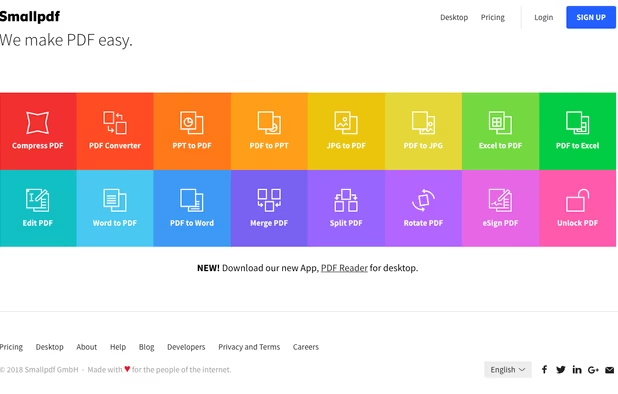
Smallpdf is the first PDF Software you will actually like. The perfect gateway to productive, portable and cost-efficient document management solutions in your everyday life.
Cost / License
- Freemium (Subscription)
- Proprietary
Application typeApplication types
Platforms
- Windows
- Online
- Android
- Software as a Service (SaaS)
- iPhone
- iPad
- Android Tablet
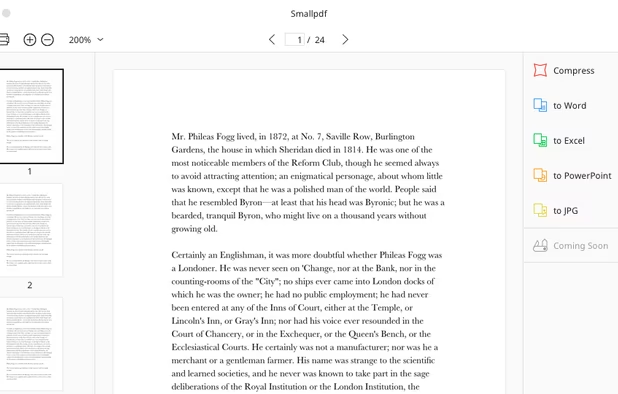

Features
Smallpdf News & Activities
Highlights All activities
Recent News
No news, maybe you know any news worth sharing?
Share a News TipRecent activities
 Burak-KAYA added Smallpdf as alternative to PDF Platform
 Nettongia added Smallpdf as alternative to Nettongia PDF Editor
 rukpat added Smallpdf as alternative to DecryptPDFs
I like it for it's tools and user friendly interface
- oxid_apps liked Smallpdf


Featured in Lists

A list with 807 apps by AmileyaRyver without a description.
List by AmileyaRyver with 807 apps, updated

A curated list of the best online file conversion tools available in 2026. These tools allow you to convert documents,...
List by Der Beste with 5 apps, updated



What is Smallpdf?
Smallpdf information
Developed by
 Smallpdf.com
 Licensing
Proprietary and Freemium product.Pricing
Subscription that costs up to $7 per month + free version with limited functionality.Rating
Average rating of 3.2Alternatives
221 alternatives listedBadge
Get an embeddable badge for SmallpdfSupported Languages
AlternativeTo Categories
Office & Productivity, Photos & GraphicsApple AppStore
- Updated
- 4.84 avg rating


Comments and Reviews
I like it for it's tools and user friendly interface
Smallpdf has a clean UI and useful PDF conversion tools for daily document tasks. The platform is simple to use and works well for quick file editing and compression needs.
Great tool for quick PDF tasks — compress, merge, and convert without installing anything. The free tier covers most everyday use cases well. Interface is clean and fast.
Using this since College for almost 3 years now. Still one of the best tool converting almost any file into PDF. Simple and straightforward
UI is pretty and clean, which is the thing I like the most about this program, no dark mode tho. Compress function on free version barely compresses at all, it will take 1 mb off a 10 mb PDF, strong compression preset is premium only. Lacking functions like Split, Merge and Compare PDFs.
Strong preset is slightly worse than iLovePDF.
Strong preset is slightly better than Adobe Acrobat DC online.
iLovePDF.
Strong preset is slightly better than Adobe Acrobat DC online.
You should definitely try your compressor after Smallpdf.
Users don't need any account in order to use Smallpdf right now.