




TypeWhisper
26 likes
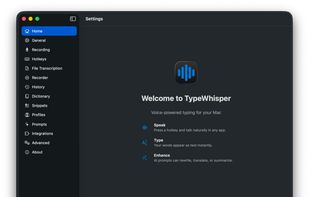
Runs privacy-focused speech-to-text locally on macOS, enabling system-wide dictation, batch audio and video file transcription, multi-engine support, drag-and-drop workflows, per-app profiles, searchable history, subtitle export with timestamps, and automation integration.

Cost / License
- Freemium (Subscription)
- Open Source (GPL-3.0)
Application type
 EU
EUPlatforms
- Mac
- Windows
- iPhone
- iPad


Features
TypeWhisper News & Activities
Highlights All activities
Recent News
No news, maybe you know any news worth sharing?
Share a News TipRecent activities
 POX added TypeWhisper as alternative to Vocatim
 POX added TypeWhisper as alternative to Wordmate
 Andrey-Chmerev added TypeWhisper as alternative to Kekoso
 dansc added TypeWhisper as alternative to SweetWhisper
 vitalii_yemets added TypeWhisper as alternative to HoldToType
 POX added TypeWhisper as alternative to FnScribe
 Nicolas-Gustavo-Melian added TypeWhisper as alternative to Dictano
 Sergej-Nawalnew added TypeWhisper as alternative to Hallig
- Maoholguin added TypeWhisper as alternative to Vidrick AI Transcriber
 Mathias-Schneider added TypeWhisper as alternative to LLT — Local Live Translator


TypeWhisper information
Developed by
 TypeWhisper
 Licensing
Open Source (GPL-3.0) and Freemium product.Pricing
Subscription ranging between $5 and $999 per month + free version with limited functionality.Alternatives
105 alternatives listedBadge
Get an embeddable badge for TypeWhisperSupported Languages


No comments or reviews, maybe you want to be first?

