AI-Powered Voice Productivity App
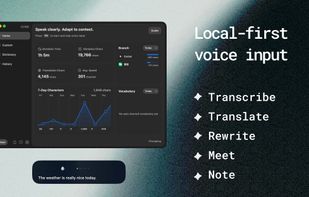
An intelligent voice productivity assistant that turns speech into clean text, useful actions, and structured knowledge. It helps users capture ideas, communicate naturally, automate repetitive tasks, and stay productive across different apps and workflows.
Core Features
1. Transcription
Convert speech into text instantly. The transcription result can be enhanced by an AI model to:
- Remove filler words and unnecessary repetition
- Correct grammar and punctuation
- Improve readability and structure
- Format content according to user preferences
- Apply customizable processing rules
The enhanced text is automatically inserted into the active input field.
2. Translation
Translate transcription results into a selected target language. Users can also select specific text and translate only the chosen content.
3. AI Voice Conversation
Select text or activate conversation mode directly to interact with an AI voice model. Conversation results can be:
- Copied to the clipboard
- Inserted directly into the active input field
- Used as part of an ongoing voice interaction
4. Voice Notes
Capture ideas and reminders from anywhere with a global shortcut. Voice notes are automatically converted into text and can include todo status management.
A floating note panel allows users to:
- Quickly review and manage notes
- Mark notes as completed
- Drag and drop notes into input fields
- Insert notes into other applications instantly
5. App and Web Automation
Create customized AI enhancement rules for different applications and websites.
For example, in SQLEditor:
“Query all user data”
The app can automatically convert it into:
SELECT * FROM "user";
Users can also configure automated keyboard actions. After text is inserted, the app can trigger predefined keys—for example, automatically submitting the query.
6. Meetings and Live Captions
Meeting mode supports three recording options:
- Meeting Mode: System audio and microphone
- Caption Mode: System audio only
- Recording Mode: Microphone only
The app transcribes conversations in real time and supports live translation. After the meeting, users can review detailed records including:
- Speaker identification
- Timestamps
- Full transcripts
- Translations
- Meeting summaries
- AI-powered analysis
- Follow-up questions and answers
Designed for Flexible Workflows
The app combines speech recognition, AI enhancement, translation, note-taking, and automation in one unified experience. Whether users are writing, coding, attending meetings, capturing ideas, or working across multiple applications, they can speak naturally and let the app transform their words into structured, actionable content.




 Shejan-Mahamud added Voxt as alternative to Whisprtypr
 vitalii_yemets added Voxt as alternative to HoldToType
 ptrs_ltd added Voxt as alternative to Commander Flow


 hehehai