


WPS Office
402 likes
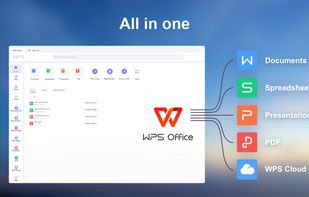
A comprehensive, free office suite offering high compatibility across formats. Supports Android, iOS, Windows, Linux, macOS, and handles text, presentations, spreadsheets, and PDFs. Features document collaboration, multiple languages, strong privacy, and user support.

Cost / License
- Freemium (Subscription)
- Proprietary
Application typeApplication types
Platforms
- Mac
- Windows
- Linux
- Android
- iPhone
- Chrome OS
- Android Tablet
- iPad
- Flathub
- Flatpak


Features

WPS Office News & Activities
Highlights All activities
Recent News
No news, maybe you know any news worth sharing?
Share a News TipRecent activities
- namdx1987 liked WPS Office
 Prathik added WPS Office as alternative to Olbo
- bulldogs liked WPS Office
 crse added WPS Office as alternative to Fossify Documents
 Julmik added WPS Office as alternative to ZIZIYI Office
 Casualoffice added WPS Office as alternative to Casual Docs
 krauq added WPS Office as alternative to Universal File Opener
 junghoon-lee added WPS Office as alternative to Thinkfree Office
- junghoon-lee added WPS Office as alternative to Thinkfree Office
 atulramrohiya added WPS Office as alternative to Desknova


Featured in Lists

Everytime I setup a phone for a friend or myself I usually remove stock apps using adb or...
List by Darlene Sonalder with 140 apps, updated

A list with 568 apps by AmileyaRyver without a description.
List by AmileyaRyver with 568 apps, updated

A list with 134 apps by tameresa without a description.
List by tameresa with 134 apps, updated



What is WPS Office?


WPS Office Videos
WPS Office information
Developed by
 Kingsoft Office Software
 Licensing
Proprietary and Freemium product.Pricing
Subscription ranging between $2 and $3 per month + free version with limited functionality.Rating
Average rating of 2.8Alternatives
61 alternatives listedBadge
Get an embeddable badge for WPS OfficeSupported Languages
AlternativeTo Categories
Office & Productivity, Remote Work & Education, Backup & SyncApple AppStore
- Updated
- 4.76 avg rating


Comments and Reviews
I've used MS Excel professionally for around 20 years; I LOVE WPS office on Windows! I've tried them all, Libre-, Soft-, OOO...WPS is unlike those rough, slow, feature-poor efforts; it's the first one that feels quick, slick, modern and can handle anything I want to use it for, often better/neater/slicker than Excel does!
There are no Ads if you get the version from MS Store. I've certainly not seen any in the last couple of years of using it.
It's not perfect - I wish I could configure the ribbons more - but it's not far off. And at Free you really can't complain at all. It also enjoys excellent PDF support, meaning you can likely do away with that suite of tools you've been collecting over the years!
Wholeheartedly recommended to all who don't wish to buy-in to the Microsoft ecosystem.
The software should be reported as an adware! it shows popups on desktop without even informing the user in terms of use or while installing the program!
Without this problem, I would definitely give it 5 stars for its perfect functionality, intuitive design and modern interface. but unfortunately they ruined it all by the ads thing.
what operating system are you on? if you're on Windows 8 or newer, try the version in the Windows Store. I don't get popup ads from that one.
I don't get pop up. You're probably using pirated/cracked version!
It's basically a malware. Harder to delete completely than actual viruses.
its not better than microsoft office, it is more like libre office unless its not free
It changes my default apps for images and PDFs to their own viewers.
Tabbed office suite with Google Docs support is awesome.
Unfortunately they insist on changing my default apps for images and PDFs to their own viewers. Happened about four times last week and I'm not going to waste time looking for a setting or workaround.
If I wanted to deal with pushy and upselling bullshit I'd go back to Microsoft and subscribe to Office.
LibreOffice turns out to be another great choice if you're looking to explore different options. It really delivers on its promise to be a solid replacement for MS Office, just like they claim. I gave it a test run and was genuinely impressed, and I'm particularly fond of how it handles multiple documents in tabs. It's always bugged me how Microsoft forces you to deal with separate windows every time you open something new - this is such a better setup. You should definitely give it a shot if you haven't already.