




Xed
22 likes
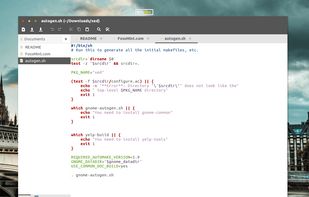
A text editor forked from Pluma and Gedit. Xed is the default text editor of Linux Mint. It can be customized and is available in multiple languages.

Cost / License
- Free
- Open Source (GPL-2.0)
Application typeApplication types
 EU
EUPlatforms
- Linux


Features
Xed News & Activities
Highlights All activities
Recent News
No news, maybe you know any news worth sharing?
Share a News TipRecent activities
 TATSUOKITakayuki added Xed as alternative to Tungsten Text Editor
 jadervasque added Xed as alternative to PlainForge
 POX added Xed as alternative to Neon Vision Editor
 OrdinaryPerson added Xed as alternative to Visual Code Space





Xed information
Developed by
 Linux Mint
 Licensing
Open Source (GPL-2.0) and Free product.Written in
Rating
Average rating of 4.7Alternatives
165 alternatives listedBadge
Get an embeddable badge for XedSupported Languages

AlternativeTo Categories
Development, Office & Productivity, OS & UtilitiesGitHub repository
- 551 Stars
- 115 Forks
- 266 Open Issues
- Updated


No comments or reviews, maybe you want to be first?
Featured in Lists
A list with 35 apps by namdx1987 without a description.
List by Nam Pham with 35 apps, updated