Apps with 'Context Menu' feature

All apps in Apps with 'Context Menu' feature category. Use the filters below to narrow down your search. 
Copy a direct link to this comment to your clipboard
  1. Shell icon
     59 likes

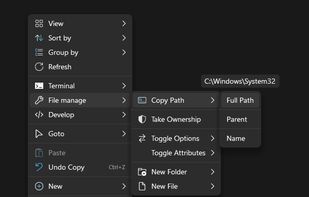
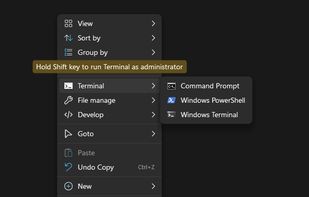
    Shell is a context menu extender that lets you handpick the items to integrate into Windows File Explorer context menu, create custom commands to access all your favorite web pages, files, and folders, and launch any application directly from the context menu.

    Cost / License

    • Free
    • Open Source (MIT)

    Application type

    Platforms

    • Windows
    • EG flagEgypt
    Shell screenshot 1
    Shell screenshot 1
    Shell screenshot 2
    +7
    Shell screenshot 3
    21 alternatives
    4.5
    Excellent11 ratings
  2. SpaceSniffer icon
     330 likes

    SpaceSniffer is a tool application that gives you an idea of how folders and files are structured on your disks. By using a Treemap visualization layout, you have immediate perception of where big folders and files are situated on your devices.

    Cost / License

    • Free
    • Proprietary

    Application type

    Platforms

    • Windows
    • IT flagItaly
    • European Union flagEU
    SpaceSniffer screenshot 1
    SpaceSniffer screenshot 1
    78 alternatives
    4.5
    Excellent27 ratings
  3. ActionClip icon
     5 likes

    Native macOS tool that triggers a compact floating toolbar to turn selected text into custom actions, like copy, translate, search, or event creation.

    Cost / License

    • Paid
    • Proprietary

    Platforms

    • Mac
    • IN flagIndia
    ActionClip screenshot 1
    ActionClip screenshot 1
    ActionClip screenshot 2
    +2
    ActionClip screenshot 3
    3 alternatives
  4. Menuist icon
     10 likes

    Enhance Finder's right-click menu and toolbar with powerful file operations like moving, copying, and creation, improving work efficiency.

    Cost / License

    • Freemium
    • Proprietary

    Application type

    Platforms

    • Mac
    • CN flagChina
    Menuist screenshot 1
    Menuist screenshot 1
    Menuist screenshot 2
    +5
    Menuist screenshot 3
    27 alternatives
  5. ShellExView icon
     44 likes

    Shell Extensions are in-process COM objects which extends the abilities of Windows operating system. Most shell extensions are automatically installed by the operating system, but there are also many other applications that install additional shell extension components.

    Cost / License

    • Free
    • Proprietary

    Application type

    Alerts

    • Discontinued

    Platforms

    • Windows
    • File Explorer
    • IL flagIsrael
    ShellExView screenshot 1
    14 alternatives
  6. SnipDo icon
     13 likes

    SnipDo is a productivity tool that makes it easier and faster to perform your daily tasks. Select a text in any application and SnipDo pops up to help you.

    Cost / License

    • Freemium
    • Proprietary

    Platforms

    • Windows
    • IT flagItaly
    • European Union flagEU
    SnipDo screenshot 1
    SnipDo screenshot 1
    SnipDo screenshot 2
    5 alternatives
  7. Default Programs Editor is a powerful but simple file association utility for Windows 7, Vista and XP. This free utility has three main functions: context menu editor, auto-play editor, and default programs association editor.

    Cost / License

    • Free
    • Proprietary

    Application type

    Alerts

    • Discontinued

    Platforms

    • Windows
    • .NET Framework
    • US flagUnited States
    Default Programs Editor screenshot 1
    Default Programs Editor screenshot 1
    Default Programs Editor screenshot 2
    +2
    50% of tested extensions: Shell extensions cannot be edited
    7 alternatives
  8. OpenClip icon
     2 likes

    OpenClip is a fast, light-weight, and open-source utility for macOS which adds context-sensitive action pop-up menus for selected text. OpenClip is a native application written in Swift which offers you an instant productivity layer for your Mac applications.

    Cost / License

    • Free
    • Open Source (MIT)

    Platforms

    • Mac
    • IN flagIndia
    Solve math
    Work with AI inline
    Web Dashboard Demo
    +1
    In-app Extensions
    5 alternatives
  9. Context Menu Editor can view and delete links to programs on your context menus (the popup menus you see when you right-click). Context Menu Editor does not delete the programs, it just removes them from your menus.

    Cost / License

    • Free
    • Proprietary

    Application type

    Alerts

    • Discontinued

    Platforms

    • Windows
    File Context Menu
    Folder Context Menu
    IE Context Menu
    17 alternatives
  10. Create new files, reusable file templates, and complete folder structures directly from Finder’s context menu.

    Cost / License

    • Freemium
    • Proprietary

    Platforms

    • Mac
    • CH flagSwitzerland
    MenuSpark for Finder screenshot 1
    MenuSpark for Finder screenshot 1
    MenuSpark for Finder screenshot 2
    +4
    MenuSpark for Finder screenshot 3
    1 alternatives
  11. Search engine manager for modern browsers. Contribute to ssborbis/ContextSearch-web-ext development by creating an account on GitHub.

    Cost / License

    • Free
    • Open Source

    Platforms

    • Mac
    • Windows
    • Linux
    • Google Chrome
    • Firefox
    ContextSearch web-ext screenshot 1
    ContextSearch web-ext screenshot 1
  12. ShellMenuNew icon
     6 likes

    ShellMenuNew is a small utility that displays the list of all menu items in the 'New' submenu of Windows Explorer. It allows you to easily disable unwanted menu items, so this 'New' submenu will display only the items that you need.

    Cost / License

    • Free
    • Proprietary

    Application type

    Platforms

    • Windows
    • IL flagIsrael
    ShellMenuNew screenshot 1
    7 alternatives
  13. ShellNewSettings is a free tool for Windows to remove items from Explorer's "new" menu. The "new" item list can easily get bloated and this simple app helps clean it up.

    Cost / License

    • Free
    • Proprietary

    Platforms

    • Windows
    ShellNewSettings screenshot 1
    6 alternatives
  14. Fast Explorer icon
     11 likes

    Fast Explorer is a handy Windows shell context menu editor that allows you to add new menu items, cascaded menus, customize menu bitmaps and hint text, and even clean up context menu items and remove shell extensions of files and folders.

    Cost / License

    • Free
    • Proprietary

    Application type

    Alerts

    • Discontinued

    Platforms

    • Windows
    • File Explorer
    Russian and French Language
    New Item Added for WinDirStat
    Context Menu Items Management
    15 alternatives
  15. AnySelect icon
     1 like

    AnySelect is a ChatGPT client designed to enhance your ChatGPT experience on your Mac. With its intuitive interface and powerful features, AnySelect is the ultimate solution for using ChatGPT seamlessly, no matter which application you are in.

    Cost / License

    • Paid
    • Proprietary

    Platforms

    • Mac
    AnySelect screenshot 1
    AnySelect screenshot 1
    AnySelect screenshot 2
    +1
    AnySelect screenshot 3
    13 alternatives
  16. Mmm icon
     4 likes

    Is your windows context-menu growing all out of proportions? Use this utility to customize your windows menus. Remove menu-items you never use. Put rarely used functions out on a sub-menu.

    Cost / License

    • Freemium
    • Proprietary

    Platforms

    • Windows
  17. xMenuTools icon
     2 likes

    xMenuTools is an open source context menu extender for Windows Explorer. Some useful tools include, Open with notepad, block with Windows Defender, Open CMD prompt from here, Find Wallpaper and some file/folder attributes for quick access.

    Cost / License

    • Free
    • Open Source

    Application type

    Platforms

    • Windows
    xMenuTools screenshot 1
    3 alternatives
  18.  2 likes

    Clickie is a utility that adds 2 new features to the context menu (right click) of Windows Explorer.

    Cost / License

    • Free
    • Proprietary

    Platforms

    • Windows
    Clickie on the context menu.
    5 alternatives