




ClipAngel
19 likes
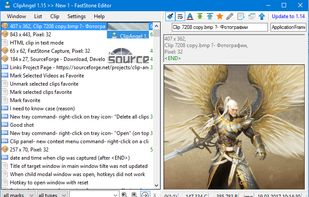
ClipAngel is an extension to the standard Windows clipboard. It saves each item placed on the clipboard allowing you access to any saved item at a later time. It saves main types of data that can be put on the clipboard: text, images, html, files.

Cost / License
- Free
- Open Source
Application type
Platforms
- Windows


Features
ClipAngel News & Activities
Highlights All activities
Recent activities
 vivenario added ClipAngel as alternative to ClipboardMenu
 jerlendds added ClipAngel as alternative to everclip CLI
 Armand-Halbert added ClipAngel as alternative to PasteDaemon
 akshaynikhare added ClipAngel as alternative to RealtimeClipboard


Featured in Lists

A list with 328 apps by christineconnor without a description.
List by christineconnor with 328 apps, updated

A list with 4 apps by Shojimeguro without a description.
List by Shoji VR with 4 apps, updated
What is ClipAngel?
ClipAngel information
Developed by
 tormozit
 Licensing
Open Source and Free product.Rating
Average rating of 4.9Alternatives
134 alternatives listedBadge
Get an embeddable badge for ClipAngelSupported Languages


Comments and Reviews
Analogs comparison table
[Edited by sergeytormozit, March 04]
Very useful. Tried many others, including shareware, but they were not as sleek and seamless as this one. Although, sometimes I want something else, but in the end I go back to this one anyway.
ClipAngel is my favorite clipboard manager. Moreso than others of the type, it will provide info of the browser, type of clipping, and clipping info.. like image size, etc. Extensive filter sort/find. It will capture inline thumbnails and imagery.. something I haven't found in any other clipboards. Advantages over CopyQ:
Win-Vista/7/8/8.1/10 (32/64 bit) & Servers An enthusiastic user of ClipAngel
Best of Clipboard extenders I have tested IMO ClipAngel deserves all 5 stars
I have tried 35 Clipboard extenders over the past 18 months Some are just bloatware, others are unfit for purpose and a lot. poorly designed/engineered
PROS • Viewer pane is part of the GUI ... images and text are clearly identified inside the "viewer" pane • Images are thumbnails inside viewer pane and not hanging off the side like an afterthought, (mixed in with the desktop contents) • Text (all of it) is clearly visible and legible inside the viewer pane & is easily edited with F4 • Formatted text is pasted as is, unless the text is edited when formatting is lost • Clips can be renamed, particularly helpful for images • Clips can be easily registered as favorites and are not deleted when the list is cleared. Removing FAV identity is simple. • Easily grasped in
it has awesome features, but user interface need more improvements
Have you specific ideas about UI impovements?
yes, you can use metro style or crystal style UI, it will looks much better
Easy to use for simple userid and password pasting needs in various applications running on Windows 10. A good complement for a browser password manager.