Dia icon
Dia icon

Dia

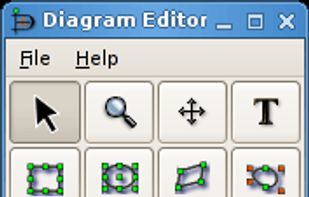
Open-source diagram editor supporting Linux, Windows, Unix, and Mac OS X, with features for constructing entity relationship, UML, flowchart, and network diagrams, customizable with XML-defined shapes, extensibility, and a GTK+-based graphical user interface.
Dia screenshot 1

Cost / License

Application type

Platforms

  • Mac  Requires XQuartz to run
  • Windows  Dia 0.97 runs on Windows 2000. Dia 0.94 runs on Windows NT, Windows 98 and Windows ME (requires GTK+ runtime environment 2.6)
  • Linux
  • PortableApps.com
  • FreeBSD
  • Xfce
  • DragonFly BSD
  • NetBSD
  • OpenBSD
458likes
0articles

Features

Properties

  1.  Lightweight

Features

  1.  Flow Chart
  2.  Workflow
  3.  Works Offline
  4.  Extensible by Plugins/Extensions
  5.  WYSIWYG Support

Dia News & Activities

Highlights All activities

Recent News

No news, maybe you know any news worth sharing?
Share a News Tip

Recent activities

  • magicscraper liked Dia
  • Excalidrawz icon
    romyr1717 added Dia as alternative to Excalidrawz
  • PlataformaChinesa rated Dia  
  • PlataformaChinesa liked Dia
  • POX added Dia as alternative to Flostep
  • Stevenson_80 A comment was removed from Dia
  • xxSashaGreyxx liked Dia
  • thecrabagenda liked Dia
  • Diagraw icon
    victoragudo88 added Dia as alternative to Diagraw
  • bulldogs liked Dia

Comments and Reviews

   
Comment summary: Dia is praised for being a free and easy-to-use flowchart tool similar to Visio, featuring many capabilities and being effective on Linux. However, it faces criticism for its clunky interface, lack of updates, and difficulties on macOS and Windows. Some users find it lacking in importing Visio files and bulk file exporting. Alternatives like Pencil and LibreOffice Draw are recommended for better user experience and features.
Top Negative Comment
Shoji VR
0

• Complete Component but hard to use - file export are 1 by 1 (cant bulk)

Shaz Shah
0

Okay. It's nowhere near being an alternative to Microsoft Visio, but it was my initial go to when I started off consulting and wanted to quickly produce flowcharts and mock ups.

The interface was not that enticing but it's served it's purpose as a stepping stone.

Unfortunately, the Windows side has suffered for a long time. So, I have been happily using draw.io/diagramming.net. But, if you want open source then look at LibreOffice - Draw.

Guest
0

Light, free, simple and many features. Grid snapping can be upgraded thought.

Review from a new or low-activity account — shown here, but not counted in the app rating.
karlblass
1

Like that software. It's a bit unhandy sometimes but in the end maybe the best libre software there is for that purpose.

charlesgoodwin
2

Dia has somewhat stagnated in recent years. For a long time it was the only real open source option other than turning to Inkscape and doing everything from scratch. These days I'd recommend you try Pencil instead because it has a much nicer UI and arguably better features.

Eliaszica
2

I successfully made some diagrams with Dia but, as another user said, its interface is really clunky. Now I'm trying yED.

ZackGules
0

Dia on Linux - shines.

I was able to use it to create all sorts of logic diagrams - for programming and for organization. It is also capable to unite any elements and group and supports layering. Perfect software!

7 of 13 comments

Featured in Lists

A list with 62 apps by xlin without a description.

List by C.A. with 62 apps, updated

A list with 568 apps by AmileyaRyver without a description.

List by AmileyaRyver with 568 apps, updated

A more optimistic homage to the slopware catalog...

List by Alex Ruiz with 56 apps, updated

Official Links

What is Dia?

Dia is a GTK+ based diagram creation program for Linux, Unix, Mac OS X and Windows released under the GPL license.

Dia is roughly inspired by the commercial Windows program Microsoft Visio icon Microsoft Visio, though more geared towards informal diagrams for casual use. It can be used to draw many different kinds of diagrams. It currently has special objects to help draw entity relationship diagrams, UML diagrams, flowcharts, network diagrams, and many other diagrams. It is also possible to add support for new shapes by writing simple XML files, using a subset of SVG to draw the shape.

Dia information

Our users have written 13 comments and reviews about Dia, and it has gotten 458 likes

Dia was added to AlternativeTo by melbicimni on and this page was last updated .