




yEd Graph Editor
447 likes
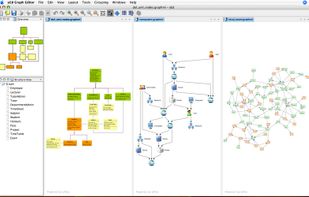
yEd is a powerful diagram editor that can be used to quickly create diagrams manually or import external data for analysis and auto-magically arrange even large data sets by just pressing a button. You can use yEd to quickly create flow charts, BPMN and UML diagrams...

Cost / License
- Free
- Proprietary
Application typeApplication types
 EU
EUPlatforms
- Mac
- Windows
- Linux
- Online
- BSD


Features

yEd Graph Editor News & Activities
Highlights All activities
Recent News
No news, maybe you know any news worth sharing?
Share a News TipRecent activities
 infratoolbox added yEd Graph Editor as alternative to InfraToolbox
- lilith888 liked yEd Graph Editor
- POX added yEd Graph Editor as alternative to Flostep
- thecrabagenda liked yEd Graph Editor
 dd5btwvvfv-lgtm added yEd Graph Editor as alternative to IngaBoard
- boreas2x liked yEd Graph Editor
- Dev_03 liked yEd Graph Editor
- msaleemahmad2969 liked yEd Graph Editor
 Danilo_Venom added yEd Graph Editor as alternative to DiagramDeck
 Datensen added yEd Graph Editor as alternative to Merit Modeler


Featured in Lists

A list with 568 apps by AmileyaRyver without a description.
List by AmileyaRyver with 568 apps, updated

A list of free/open source software / resources helpful for a small business.
List by Alvin Chey with 14 apps, updated

List of flowcharts i ever used
List by Shoji VR with 8 apps, updated
What is yEd Graph Editor?
yEd Graph Editor information
Developed by
 yWorks
 Licensing
Proprietary and Free product.Rating
Average rating of 3.8Alternatives
121 alternatives listedBadge
Get an embeddable badge for yEd Graph EditorSupported Languages


Comments and Reviews
Great free software, now with online version!
Maybe its focus more on Data Science or some other specific purpose.
It does a good Job when nodes are spread wide over the plane, in a organic layout and so on (just to show how big it is) But a terrible Job if you try to visualize a sorted and structurized network. The bigger the network, the more chaotic the graph, and almost impossible to structurize it with the given tools.
Just look at the forum!
Most answers to questions how most people use this software are like:
Yed can't do this Yed does not offer this. Thats not how this function works It can't... It doesn't The algorythm was planned for some other ...and so on
Even if the asked function would be more logical and useful
-Creating nodes specific data - just by importing from Excel NOT from inside the program -When custom nodes imported, ALL nodes have the SAME custom properties. Even the nodes from stock. Thats mostly not useful. -Import from Excel to EXISTING graph is NOT possible!!! Just to a new one and copying in the existing -Export Node Data - NOT possible
and more
Making general purpose Schemes and Diagrams is a pain with this software, therefore it comes nowhere near MS Visio If this SHOULD BE general purpose, the programmer followed and is still following the wrong concept, i think!
Funny how different my view of yEd is. For me, yEd can do what I couldn't elsewhere, mainly its autoarrange algorithms. For a beautiful price on top of that.
While there are certainly things yEd cannot do well and definitely there's also stuff that Visio does better, I would not use a forum to measure the usefulness of any software: People simply don't post questions about stuff that works! It's a forum where users are requesting help with their problems; not a review board. Of course all of the questions are about problems and just because there are a lot of questions in a forum doesn't meant that the software doesn't work for the majority of the users. Instead, it gives you an idea about how many people are using it and about the quality of support they get. Actually if you consider that this software is used by literally hundreds of thousands of users, given that there hardly is less than a dozen feature requests or questions which have more than 50 votes, I'd say that most users are actually quite happy with the software. Did you report your specific question/problem to the forum? Instead look at the reviews at this site, e.g. The big majority of the reviewers is quite happy with it.
@sebastianmuller At first: Anyone whose requirements it meets should definitely use it!
You wrote:
"I would not use a forum to measure the usefulness of any software: People simply don't post questions about stuff that works! It's a forum where users are requesting help with their problems; not a review board."
"Of course all of the questions are about problems and just because there are a lot of questions in a forum doesn't meant that the software doesn't work for the majority of the users. Instead, it gives you an idea about how many people are using it and about the quality of support they get."
"Did you report your specific question/problem to the forum?"
"Actually if you consider that this software is used by literally hundreds of thousands of users, given that there hardly is less than a dozen feature requests or questions which have more than 50 votes, I'd say that most users are actually quite happy with the software." ..... "Instead look at the reviews at this site, e.g. The big majority of the reviewers is quite happy with it.
You can use it, but there are a lot of problems. The default font and font size cannot be set. The arrow styles and layout are the same when editing. The labels cannot be rotated.
Amazing flowsheeting software. Use Inkscape to make custom icons, then save them as a yEd pallet, and the rest is just so easy. Lacking custom anchor points on symbols, and flipping of symbols, but otherwise amazing.
Good graphics, and it's free!
It's a great alternative to Visio and other pricey process mapping software. It does the job for me and has enough import and export options to keep me coming back to it.
Free and easy to use with provided icons