




TickTick
222 likes
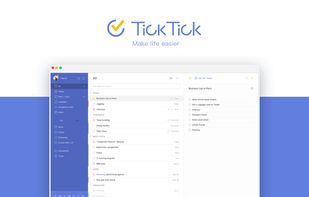
Organize tasks with lists, tags, and priorities. Share task lists with others, attach files, and set up to 5 reminders per task. Use checklist, note-taking, and Pomodoro timer features for productivity.

Cost / License
- Freemium (Subscription)
- Proprietary
Application typeApplication types
Platforms
- Mac
- Windows
- Linux
- Online
- Android
- iPhone
- Chrome OS
- Android Tablet
- iPad
- Apple Watch
- Google Chrome
- Android Wear
- Mozilla Firefox


Features

TickTick News & Activities
Highlights All activities
Recent News
- POX published news article about TickTick
 TickTick 8.0 adds suggested tasks, improved yearly/monthly views & customization options
TickTick 8.0 is now available as the latest update to this to-do list and calendar application. Thi...
- Fla published news article about TickTick
 TickTick adds Countdown feature to track important events and deadlines
TickTick has launched a Countdown feature that enables users to organize important events with dedi...
- Fla published news article about TickTick
 TickTick adds Two-Step Verification for enhanced security
TickTick, a popular task management app, has rolled out a new Two-Step Verification feature to enha...


Recent activities
 Vladislav-Likh added TickTick as alternative to DailyGrind
 ri-mar-ko added TickTick as alternative to Phased Studio
 Kamaria22 added TickTick as alternative to TaskMind AI
 jamiedavenport added TickTick as alternative to Sidequest Planner


Featured in Lists

A list with 568 apps by AmileyaRyver without a description.
List by AmileyaRyver with 568 apps, updated

Apps I need to try in the service of remembering what the hell I'm supposed to be doing. No gamification...
List by TMA_2 with 9 apps, updated

A list with 209 apps by trishafhhmoam without a description.
List by Trisha Hoque with 209 apps, updated


What is TickTick?
TickTick information
Developed by
 Appest Limited
 Licensing
Proprietary and Freemium product.Pricing
Subscription that costs $3 per month + free version with limited functionality.Rating
Average rating of 3.6Alternatives
438 alternatives listedNews
6 news article related to TickTickBadge
Get an embeddable badge for TickTickSupported Languages
AlternativeTo Categories
Office & Productivity, OS & Utilities, Remote Work & Education, Sport & HealthApple AppStore
- Updated
- 4.86 avg rating


Comments and Reviews
I am using it on the web and Windows with the free plan. I found the following points to be good.
The following points are negative.
https://ticktick.com/about/features
The free version of TickTick supports tags, printing, and sub-tasks.
When I check off a repeating task, TickTick immediately creates the next occurrence of the task. This causes the to-do list to contain incomplete tasks for the future that I have already completed for the present. I would like to hide future occurrences of repeating tasks that I have already completed today [0] [1].
[0] https://help.ticktick.com/forum/topic/372535/hide-recurring-tasks-that-aren-t-due [1] https://help.ticktick.com/forum/topic/372093/hide-recurring-from-inbox-until-due
TickTick deleted the two forum threads that I referenced in my previous review. I searched for them in Wayback Machine, but I did not get any results.
TickTick (for web browser) does not have a Select All menu item. Also, the keyboard shortcut Command-A does not select all. Reminders by Apple and Things by Cultured Code both have a menu item Edit – Select All.
TickTick (for Mac) has a menu item Edit – Select All. This will select all of the text in the name of a task. But it won't select all of the tasks in a list.
When I select multiple tasks and press the Delete key, TickTick (for Mac) does not delete the tasks. Instead, I clicked the Delete button in the rightmost pane.
When I delete a task, a toast appears at the bottom of the window. It offers a button to undo deleting the task. But the Edit – Undo menu item is disabled.
Wirecutter recommends TickTick as "The best free to-do list app" in their guide "The Best To-Do List App."
https://www.nytimes.com/wirecutter/reviews/best-to-do-list-app
Quite fond of Ticktick. It's what I settled on when building my life management system and trying to find a todo app that worked for my very picky ADHD self. Ticktick has checked all the boxes I needed; calendar, task lists, kanban, notes, pomodoro built-in, habit trackers, so on. The premium version is worth it imo, but the free version is comfortable to use as well.
It's very customizable, and is only as complex as you make it. You can completely ignore any feature and it won't impact you at all. I have mine sorted in a GTD-ish way, and also use it as a cross-platform notes app with a section I drop random spontaneous thoughts and things I remember into to sort later.
I also appreciate the simple UI and theme choices. I find I get overwhelmed quite quickly by clutter or too many buttons and tabs, which is an issue especially when it comes to todo apps and routine management. I can't really find anything that can check as many boxes as Ticktick, so I plan to stick by it until it kicks the bucket lol.
Pros:
Cons:
I thought it was a standalone application. So I downloaded it and installed it on Debian, and after starting the programme I was asked to register an account. What's the point? No, thanks.
It's way better for me than Todoist. Super easy to use, intuitive, works smoothly on any device, and has tons of integrations.
Easy to use and cross platform. The features are great for task tracking and it has great note taking abilities as well.