


UltraSearch
38 likes
Your Ultimate Tool For Company-Wide File Search.

Cost / License
- Freemium (Pay once)
- Proprietary
Application type
 EU
EUPlatforms
- Windows


Features
UltraSearch News & Activities
Highlights All activities
Recent News
No news, maybe you know any news worth sharing?
Share a News TipRecent activities
 POX added UltraSearch as alternative to Hister
 Danilo_Venom added UltraSearch as alternative to BeaconFind, Pronto Search, FilesDesk and PixaFind
 POX added UltraSearch as alternative to Omni Search
 tkosoft added UltraSearch as alternative to FindInside
 POX added UltraSearch as alternative to Mira Search
 Hamza5 added UltraSearch as alternative to File Brain
 sharktime added UltraSearch as alternative to wList
- kamoltuk2001 liked UltraSearch
- TBayAreaPat replied to a comment / review on UltraSearch
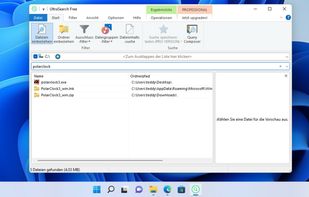
My #1 choice for searching/launching. UltraSearch performs real-time searches vs indexing as most search launchers do. You get Pro trial vs free to start, but the free version seems comparable. Dashboard displays "search for file", "search for file content", & a boxclick preview panel which makes the dashboard wider than many launchers. Clicking off preview doesn't change it from being a little wider, but the panel has good moving flexibility. Setup is easy, adding drives is easy and there's...


Featured in Lists

This should be fun & interesting!
List by Willie Maughan with 85 apps, updated

What apps have I been using for years for my daily production. No games!
List by Renato Rinaldi with 14 apps, updated

A list with 12 apps by kaekazeh without a description.
List by kaekazeh with 12 apps, updated

What is UltraSearch?
UltraSearch information
Developed by
 JAM Software GmbH
 Licensing
Proprietary and Freemium product.Pricing
One time purchase (perpetual license) that costs $33 + free version with limited functionality.Rating
Average rating of 4.8Alternatives
66 alternatives listedBadge
Get an embeddable badge for UltraSearchSupported Languages


Comments and Reviews
This will be an honest review with pros and cons that will help you decide if this software is right for your needs. I've been using it for over 3 years now - it's one of those specialized tools that delivers incredible performance but comes with some rough edges. When you need to find files instantly on your local drives, this program is unmatched. It locates files and folders faster than anything I've used, showing results as you type with no noticeable delay, even when searching through hundreds of thousands of files. The search capabilities go far beyond Windows' built-in search - it handles complex wildcards, regular expressions, and can filter by size, date, and attributes with perfect accuracy. For my work managing large projects with thousands of files, it's saved me countless hours of waiting for searches to complete. The portable version is particularly useful - you can run it from a drive without installation. But here's some points that needed to be considered- the user interface looks outdated, like something from Windows XP era, with small icons and menus that aren't always intuitive. While its lightning fast for NTFS drives, support for network shares and non-NTFS formats is spotty at best. There's no file preview functionality, which feels like a missed opportunity for a search tool this powerful. The first few weeks using it, I had to refer to the documentation frequently to understand some of the more advanced features. It's Windows-only, though there is a command-line version that works elsewhere. The price may seem steep compared to free alternatives, but none of those can match its raw speed and reliability for local file searches. What impressed me most is how thoroughly it indexes drives - it finds files that other search tools miss, including hidden system files and temporary files. However, configuring the more advanced options requires patience - the settings aren't always clearly explained. At its core, this is a specialist tool designed for power users. If you only occasionally search for files, Windows Search might be sufficient. But if you regularly need to locate files quickly and precisely on NTFS drives, worth putting up with its quirks. - it's like having a grumpy but supremely capable assistant that works miracles once you learn how to ask properly.
By default, UltraSearch DOES have a preview pane- which can be toggled on/off.
My #1 choice for searching/launching. UltraSearch performs real-time searches vs indexing as most search launchers do. You get Pro trial vs free to start, but the free version seems comparable. Dashboard displays "search for file", "search for file content", & a boxclick preview panel which makes the dashboard wider than many launchers. Clicking off preview doesn't change it from being a little wider, but the panel has good moving flexibility. Setup is easy, adding drives is easy and there's good intuition of items wanted aside from filters. You click Ctrl 2x to launch. The program still gets updates. Some launchers may have bookmark finding capability. I don't know if UltraSearch has anything for that. Also, like some other programs, if UAC control is up, UltraSearch won't autostart.. even if set to start with Windows. UAC is a security feature of Windows. First result doesn't seem to highlight for Enter, so you may need to click first.. I think that's a pay-for feature. Main drawbacks- It doesn't catch results with spaces well (like a file named "w o r d"), and it doesn't catch every result; Sometimes I think, "I know I have a file with that name". And this is why I run 2 search programs. While UltraSearch is my primary, Find and Run Robot fills the gaps, so I run that too.
Blazing fast. Used to be really good on the free version but it now expires your software and auto installs the pro version just for it to nag you with an unskippable buy licence prompt so its not free anymore
They do still start with pro, but the switchover is seamless now. I really don't even notice the difference.
UltraSearch searches text in all types of files slowly without indexing.
I like UltraSearch because it does not create any big index files at all, instead it uses Master File Table for searching, therefore it is lightning fast, it searches while you are typing. UltraSearch Free supports regular expressions and also searches file content on any drive, folder or a USB device.
Free easy to use tool, MUCH faster then windows search.
Incredibly fast and very flexible. Fundamentally changes the way I use my computer. The Windows search should be this useful and fast.