




Sideslide
17 likes
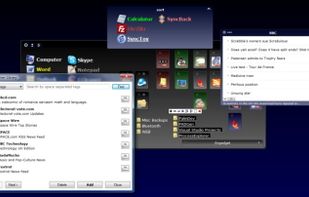
SideSlide is an advanced, portable, unobtrusive, dockable, skinnable, instantly accessible, highly configurable Desktop Extension on Steroids! Clean desktop clutter and make your computer friendlier and faster than ever before.

Cost / License
- Free
- Proprietary
Application typeApplication types
Platforms
- Windows

Features
Sideslide News & Activities
Highlights All activities
Recent News
No news, maybe you know any news worth sharing?
Share a News TipRecent activities
 deskripple added Sideslide as alternative to DeskRipple
- deskripple added Sideslide as alternative to DeskRipple
- brokesimp69 liked Sideslide
 MetalPhoenix added Sideslide as alternative to Shortcutty
 POX added Sideslide as alternative to Milee Grida


What is Sideslide?
Sideslide information
Developed by
 northGlide
 Licensing
Proprietary and Free product.Rating
Average rating of 3.3Alternatives
28 alternatives listedBadge
Get an embeddable badge for SideslideSupported Languages


Comments and Reviews
More than a simple Dock system.. like having an extra Desktop as an overlay. Takes a bit of courage to learn.. You can try a similar program called ITop as a warm up. SideSlide has a backup system which puts backups in the Roaming folder. Once I pressed the UpperLeft + sign, pressed New, pressed Container, dragged a shortcut into it, I gained courage. I was able to transfer setting w/the backup to another computer, too. I hear it's easier with portable, but you can make multiple docks to load. Files are not saved on the panel... shortcuts are. Photos can be viewed as wallpaper with the transparency level you choose. If you uninstall, your program and photo files are safe because they are only in shortcut form. If you uninstall, containers, notes in them, labels, and sideslide backups are deleted, so you may want to make an extra backup and store it elsewhere for the future. Transparencies can let you do image overlays, labels.. maybe one panel setup for RSS feeds, one for detachable/reattachable sticky notes, picture board, etc. ..lots of possibilities. Five stars if it becomes open source.
Sideslide is a great tool to have if you work with a lot of apps. This is a stretchable box window that allows you to create shortcuts to applications by clicking the location of what you want & it's path is added creating the icon & name of the app. You can save your customizations including edge position top, bottom, left, & right.
Customize the window any color, change the icons, font, & color of text truly customizing. Stretch the window any size & arrange the shortcuts any order you want. Import & export customizations for quick swapping if you work on different pcs or just like to change themes.
This is great for me I don't have to click start or any desktop icons I just move my mouse to the left & sideslide pops out with my list of applications I use on a daily basis. This is even nice for IT techs who use portable applications & work on multiple pcs you can just have sideslide in your usb to use your daily portable tools without having to go through everything to get to them.
A unique launcher with mamy options, including the ability to tag and launch multiple apps at once, along with many other fun features. Check out the tour page.
Website is dead...
Works for me / now - the software's even been recently updated.