





Wekan
225 likes
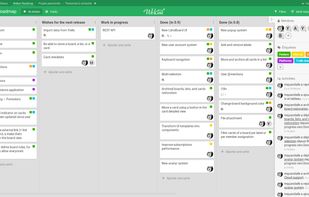
Open-source kanban board featuring real-time collaboration, customizable labels, filtered views, card comments, attachments, member assignments, permission roles, checklists, notifications, responsive design, integration options, and self-hosting support.

Cost / License
- Free
- Open Source (MIT)
Application typeApplication types
 EU
EUPlatforms
- Mac
- Windows
- Linux
- Self-Hosted
- Sandstorm
- Snapcraft
- Cloudron
- Docker


Features
Wekan News & Activities
Highlights All activities
Recent News
No news, maybe you know any news worth sharing?
Share a News TipRecent activities
 triggerflo added Wekan as alternative to TriggerFlo
 tomrob added Wekan as alternative to MettleDeck
- thecrabagenda liked Wekan


Featured in Lists

For many the Internet is Google: Search, mail, videos, web browser, cloud services, mobile OS, etc. – Google is the...
List by Paul with 30 apps, updated

Never have there been more software choices for the small business. Considering all the information you need to...
List by Paul with 21 apps, updated

A list with 42 apps by BlueThrasher22 without a description.
List by Olivia Thrasher with 42 apps, updated
What is Wekan?

Wekan information
Developed by
 WeKan
WeKan Licensing
Open Source (MIT) and Free product.Written in
Rating
Average rating of 2.6Alternatives
243 alternatives listedBadge
Get an embeddable badge for WekanSupported Languages

AlternativeTo Categories
Office & Productivity, Remote Work & Education, Business & CommerceGitHub repository
- 21,089 Stars
- 3,000 Forks
- 166 Open Issues
- Updated


Comments and Reviews
The UI is wonky. Things jump around, overflow, and give off a very unpolished vibe
The installation prerequisites will make you feel like a trainee sitting in the cockpit of an airplane for the first time.
To install Wekan on Windows, you need to have Node.js LTS version 12.x and npm installed. I don't see a Calendar view from the screenshots, but it looks very nice otherwise
Nooooope (check the install from source page for details).
We can is not a desktop or mobile app. It's a web app and you have to host it yourself.
Not very useful if you just want to install something on your PC and run it natively.
If you don't know anything about servers, it will be impossible to install (there's no such as thing as a download buttom).
get it from Microsoft store.
Hosting Wekan with docker and docker-compose is pretty straight forward.
I tried to use Wekan on my android phone. First thing to notice: There is no dedicated Wekan app. Instead you have to use your browser and navigate to your wekan instance.
Importing kanban boards from Trello was easy and everything was showed correctly.
Unfortunately the mobile version of wekan boards is not very well designed. Kanban state columns are aligned vertically and you can't drag and drop cards from one state to another. Instead you have to click through multiple menus and buttons to bring cards e. g. from "todo" to "in progress".
Wekan is feature rich but all the buttons for the features in the android app are confusing and not well designed.
In a browser on a PC Wekan looks and feels very good and is optically IMHO the best free and open source alternative to Trello so far.