




Zenkit
216 likes
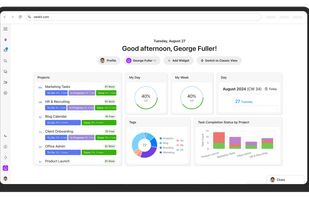
Zenkit is a hyper-flexible SaaS platform for managing projects, databases, and more. Use Kanban boards, tables, or custom views to organize tasks, track data, and collaborate with your team. Build a CRM, financial planner, or simply plan your day—all in one intuitive workspace.

Cost / License
- Subscription
- Proprietary
Application typeApplication types
 EU
EUPlatforms
- Mac
- Windows
- Linux
- Online
- Android
- iPhone
- Android Tablet
- iPad
- Snapcraft
- Software as a Service (SaaS)


Features


Zenkit News & Activities
Highlights All activities
Recent News
No news, maybe you know any news worth sharing?
Share a News TipRecent activities
- jtn0626 added Zenkit as alternative to Stackfield


Featured in Lists

A list with 292 apps by christineconnor without a description.
List by christineconnor with 292 apps, updated

A list with 42 apps by BlueThrasher22 without a description.
List by Olivia Thrasher with 42 apps, updated

A list with 568 apps by AmileyaRyver without a description.
List by AmileyaRyver with 568 apps, updated



What is Zenkit?
Zenkit Videos
Zenkit information
Developed by
 Axonic
 Licensing
Proprietary and Commercial product.Pricing
Subscription ranging between $8 and $25 per month.Rating
Average rating of 4.6Alternatives
175 alternatives listedBadge
Get an embeddable badge for ZenkitSupported Languages
AlternativeTo Categories
Office & Productivity, Business & Commerce, Remote Work & Education, Security & Privacy, Sport & Health, Backup & SyncApple AppStore
- Updated
- 4.21 avg rating


Comments and Reviews
I like the versatility of Zenkit - this great tool lets you decide how you want to use it - it offers a lot of different views (like kanban, calendar or even a mindmap) that can be enriched with custom filters to see just the information that you need. Furthermore you have the ability to create your own fields in each item by creating references to any other Zenkit-Collection of yours - very handy.
Downloads https://zenkit.com/en/platforms/ In looking for a journal/todo combo, I try Zenkit. First thing I tested is image pasting capability in journaling and Zenkit does this very well on desktop. Zenkit also has a well-organized Android app which integrates with Gallery Pics for sharing (most programs of this type don't) When you first install Zenkit, it is very plain looking. Themes are not free. Trello boards require importing. From Brave AI " Zenkit has cloud capability. It supports native imports from Trello, Asana, or Microsoft To Do, and also allows CSV imports or API integration. Additionally, Zenkit offers offline support, so you can use it even without an internet connection." Zenkit's primary selling point is project management and team coordination. My bigger concern for personal use is the handling of images on Android, and I found another program I like better for that. Nonetheless, I hope to keep 2 programs of this type, and I haven't ruled out Zenkit as my secondary program. In comparing Zenkit to Notion, I'm thinking that Zenkit may have more contiguity. From Brave AI: "Zenkit supports multiple views over the same data, such as mind maps, Kanban boards, and Gantt charts, which can be advantageous for users who need to visualize and manage their data in different ways."
I have tried multiple task organizers with kanban board. And so far Zenkit on top of my list. It has a ton of features - boards, tables, gantt charts, filters, global search, many boards, tags, comments. I have not used , it syncs with mobile. Zenkit has waaay waay more features than Trello, It is slightly more complicated for initial learning. But comparing to ClickUp it is much simpler and much user-friendlier! All 3 of those are fantastic products by the way. But Zenkit wins. I use it on a daily basis to organize my tasks for multiple projects and areas of life! Highly recommended!
Zenkit is best tool to handle your task. I am in love with this app.
It is a one of the best project handling service.
It's simple and flexible with different views. Especially like that I can visualize my projects' progress with Kanban view.
Great tool for projekt overview. Easy handling and great mobile app.