Apps with 'NTFS' feature

All apps in Apps with 'NTFS' feature category. Use the filters below to narrow down your search. 
Copy a direct link to this comment to your clipboard
  1. Rufus icon
     1641 likes

    Formats USB drives to various file systems and creates bootable USBs from ISOs. Supports MS-DOS/FreeDOS bootable sticks and offers BIOS or UEFI options.

    Cost / License

    Application type

    Platforms

    • Windows
    • PortableApps.com
    • IE flagIreland
    • European Union flagEU
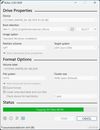
    Rufus screenshot 1
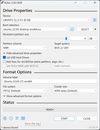
    Rufus screenshot 2
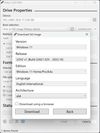
    Rufus screenshot 3
    76 alternatives
    4.6
    Excellent83 ratings
  2. Link Shell Extension (LSE) provides for the creation of Hardlinks , Junctions , Volume Mountpoints , and Vistas Symbolic Links, (herein referred to collectively as Links) and a Folder Cloning process that utilizes Hardlinks or Symbolic Links.

    Cost / License

    • Free
    • Open Source

    Application type

    Platforms

    • Windows
    • File Explorer
    • Chocolatey
    • AT flagAustria
    • European Union flagEU
    Pick Link Source... (file/dir)
    and Drop As... Symbolic Link, Junction, Hard Link and more
    7 alternatives
  3. Samba icon
     64 likes

    Samba is the standard Windows interoperability suite of programs for Linux and Unix.

    Cost / License

    Platforms

    • Mac
    • Linux
    • BSD
    18 alternatives
  4. RMPrepUSB icon
     24 likes

    RMPrepUSB allows the Windows user to easily and quickly 'roll their own' multiboot USB drive.

    Cost / License

    • Free
    • Proprietary

    Application type

    Alerts

    • Discontinued

    Platforms

    • Windows
    • GB flagUnited Kingdom
    On Windows 7
    On Windows XP
    21 alternatives
  5. HP USB Disk Storage Format Tool utility will format any USB flash drive, with your choice of FAT, FAT32, or NTFS partition types. You can also make the disk bootable by specifying a file location.

    Cost / License

    • Free
    • Proprietary

    Application type

    Alerts

    • Discontinued

    Platforms

    • Windows
    • US flagUnited States
    HP USB Disk Storage Format Tool screenshot 1
    9 alternatives
  6. SwiftSearch icon
     21 likes

    SwiftSearch is a lightweight program whose purpose is to help you quickly find the files you need on your Windows machine without ever requiring you to index your drives. Most search utilities that achieve similar speeds do so by indexing drives while the computer is idle, but...

    Cost / License

    • Free
    • Open Source

    Application type

    Platforms

    • Windows
    SwiftSearch screenshot 1
    79 alternatives
  7. Paragon NTFS for Mac OS X is a driver which gives you full read and write access to Windows partitions under Mac OS X. When working with media files or documents in Mac, you need access to the high performance of your system regardless if the files are located on the Mac’s HFS+...

    Cost / License

    • Paid
    • Proprietary

    Platforms

    • Mac
    • DE flagGermany
    • European Union flagEU
    Paragon NTFS for Mac OS X screenshot 1
    Paragon NTFS for Mac OS X screenshot 1
    Paragon NTFS for Mac OS X screenshot 2
    +1
    Paragon NTFS for Mac OS X screenshot 3
    6 alternatives
  8. WinfrGUI icon
     3 likes

    Released in December 2021, WinfrGUI is a 100% free Windows file recovery utility with a GUI. Its interface is clear at a glance, and all levels of users can recover deleted or lost Windows files with just a few mouse clicks.

    Cost / License

    • Free
    • Proprietary

    Platforms

    • Windows
    Step 1. Select a partition to scan & a location to save.
    Step 2. Choose scanning methods
    Step 3. Click “Start Recovery”
    5 alternatives
  9. Omnimount icon
     1 like

    Omnimount mounts, writes, formats and clones ext4 and NTFS partitions on macOS from a menu bar app and a CLI. It wraps the proven open source drivers (fuse2fs, ntfs-3g) over FUSE-T, so there are no kernel extensions to approve — no Recovery Mode, no reduced security, no reboots.

    Cost / License

    Platforms

    • Mac
    Omnimount screenshot 1
    Omnimount screenshot 1
  10. The fastest way to read and write Windows disks from Mac OS X, which doesn't support writing to NTFS volumes out-of-the box. It builds and extends upon the proven stability of the open source NTFS-3G to deliver a full featured, commercial grade NTFS driver for your Mac.

    Cost / License

    • Paid
    • Proprietary

    Platforms

    • Mac
    • FI flagFinland
    • European Union flagEU
    Tuxera NTFS for Mac screenshot 1
  11. Scrounge NTFS icon
     6 likes

    Data recovery program for NTFS file systems. Reads each block of the hard disk to and retrieves rebuilds file system tree on another partition.

    Cost / License

    • Free
    • Open Source

    Application type

    Alerts

    • Discontinued

    Platforms

    • Windows
    • Linux
    • BSD
    133 alternatives
  12. UFS Explorer Professional Recovery is an advanced software solution oriented to respond to special requirements of those who are competent in data recovery and take a professional approach to the task, dealing with severe or peculiar data loss cases.

    Cost / License

    • Paid
    • Proprietary

    Application type

    Platforms

    • Mac
    • Windows
    • Linux
    • US flagUnited States
    UFS Explorer Professional Recovery screenshot 1
    UFS Explorer Professional Recovery screenshot 1
    UFS Explorer Professional Recovery screenshot 2
    +5
    UFS Explorer Professional Recovery screenshot 3
    10 alternatives
  13. FreeUndelete icon
     5 likes

    FreeUndelete restores deleted files, including those removed from Windows Recycle Bin. In case of accidental removal of files on a NTFS (1.0 and 2.0) (default for Windows Vista, XP, 2000 and NT), FAT32, FAT16 or FAT12 file systems this is the utility to help.

    Cost / License

    • Free Personal
    • Proprietary

    Application type

    Alerts

    • Discontinued

    Platforms

    • Windows
    • IL flagIsrael
    FreeUndelete screenshot 1
    99 alternatives
  14. R-Undelete icon
     2 likes

    Powerful file undelete and file recovery software to recover and restore files on any valid logical disks visible by the host OS.

    Cost / License

    • Freemium
    • Proprietary

    Application type

    Platforms

    • Windows
    • CA flagCanada
    Select disk
    Select action
    Select files
    128 alternatives
  15. NTFS Link icon
     1 like

    NTFS Link is a set of Windows Shell Extensions (i.e. they hook into the Windows Explorer), providing extended functionality for creating and using hard links and junction points on NTFS file systems. As neither hard links nor junctions are available on FAT, it will really only...

    Cost / License

    • Free
    • Proprietary

    Application type

    Platforms

    • Windows
    • Windows Explorer
    NTFS Link screenshot 1
    NTFS Link screenshot 1
    NTFS Link screenshot 2
    3 alternatives
  16. BURP icon
     14 likes

    Burp is a network backup and restore program. It uses librsync in order to save network traffic and to save on the amount of space that is used by each backup. It also uses VSS (Volume Shadow Copy Service) to make snapshots when backing up Windows computers.

    Cost / License

    • Free
    • Open Source

    Platforms

    • Windows
    • Linux
    11 alternatives
  17. Mounty for NTFS icon
     10 likes

    No additional driver will be installed. It simply makes use of the built-in mechanisms already provided by Mac OSX Mavericks.

    Cost / License

    • Free
    • Proprietary

    Platforms

    • Mac
    • DE flagGermany
    • European Union flagEU
    Mounty for NTFS screenshot 1
  18. chkdsk icon
     6 likes

    A command line tool to check for errors on and repair ntfs filesystems.

    Cost / License

    • Paid
    • Proprietary

    Platforms

    • Windows
    • US flagUnited States
    chkdsk running in cmd
    9 alternatives
  19. NTFS Access icon
     3 likes

    If you're using Windows system and you have lost access to own files or folders (i.e. user account folder is not accessible after system reinstallation), use NTFS Access to regain the access. NTFS Access can be also helpful if you want to access private files or folders of...

    Cost / License

    • Free
    • Proprietary

    Platforms

    • Windows
    NTFS Access screenshot 1
    NTFS Access screenshot 1
    NTFS Access screenshot 2